
Editable Canva Template for Real Estate Agents
Real Estate Home Buyer Guide
Replace the buyer PDFs and handouts with one guide you send before the first tour.
Set it up once with your name, brand color and headshot, and keep the same finished PDF ready for every new buyer. It explains the written agreement, compensation, what they may pay and when, touring, offers, deadlines and closing in plain language, so the consultation can start on their search instead of Buyer 101.
$25 · One-time purchase
29 pages · Canva Free · US Letter · Instant download
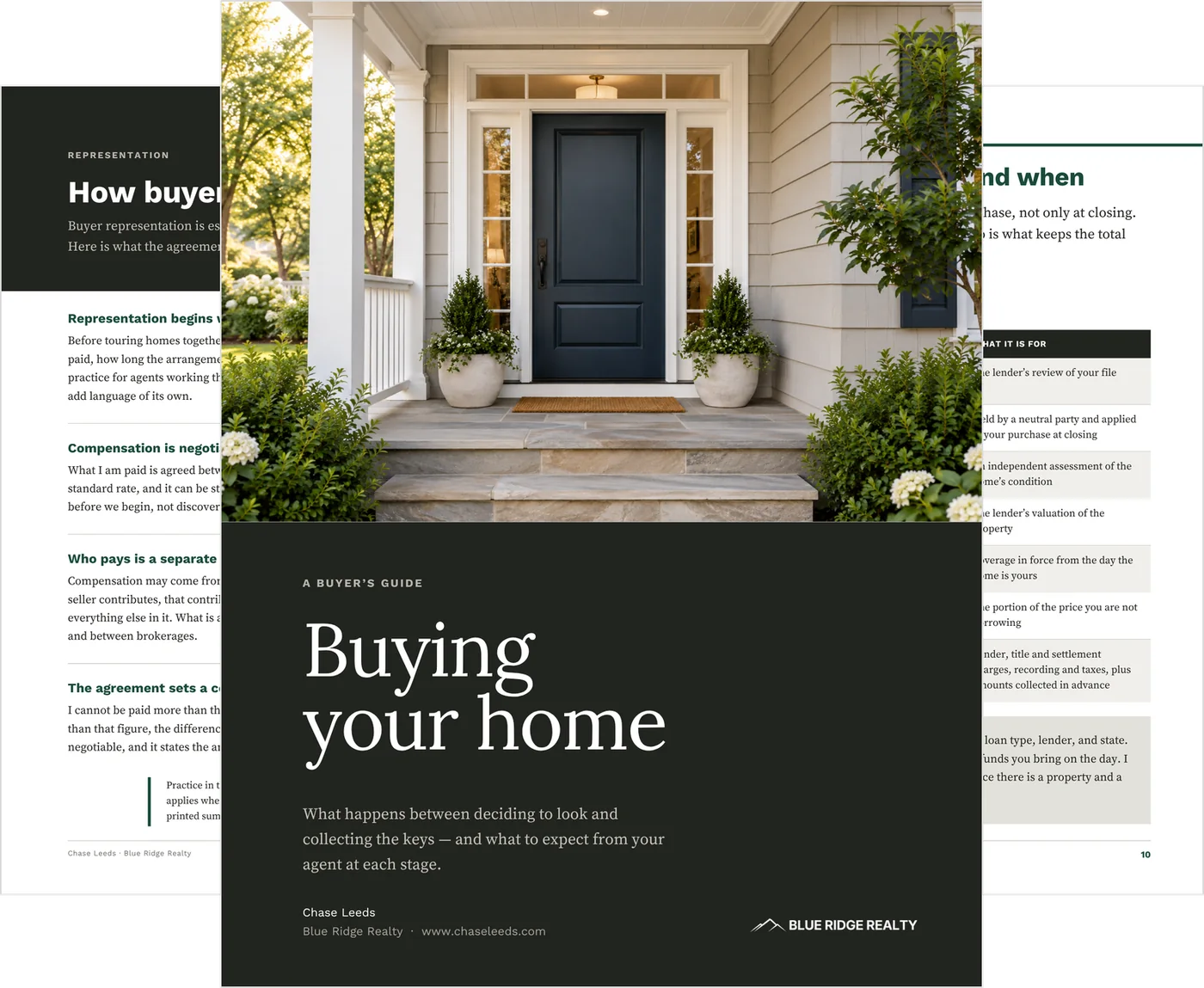
One guide instead of the stack you send now.
Replace the buyer PDFs, agency explainer and miscellaneous handouts with one guide you can send before the first tour.
- the representation or agency explainer → How buyer representation works
- the lender’s pre-approval handout → Getting pre-approved
- a closing-cost sheet → What you may pay, and when
- offer tips → What makes an offer strong and When there is competition
- a process PDF → How a purchase moves, through The final steps
- a wire-fraud notice → the wire-fraud page
How it fits your week
Set it up once. Reuse it with every buyer.
01 A buyer asks what they’ll have to sign.
The question that used to need a phone call and a careful answer.
02 You reply and attach the guide.
Nothing to edit. The representation page answers it in full.
03 They tour already knowing the process.
The consultation starts at their search instead of at the basics.
04 Every time after.
The same file goes out again: no rebuild, no per-client version, no wondering which copy was current.
Inside: the agreement, the costs, and competing offers
Three of the pages buyers ask about first, at a size you can actually read.
Four pages for the harder buyer conversations
A buyer packet pulled off the web is usually out of date on the agreement and commission rules, written in language clients don’t follow, and obviously not yours. These are the four that carry the hardest conversations.
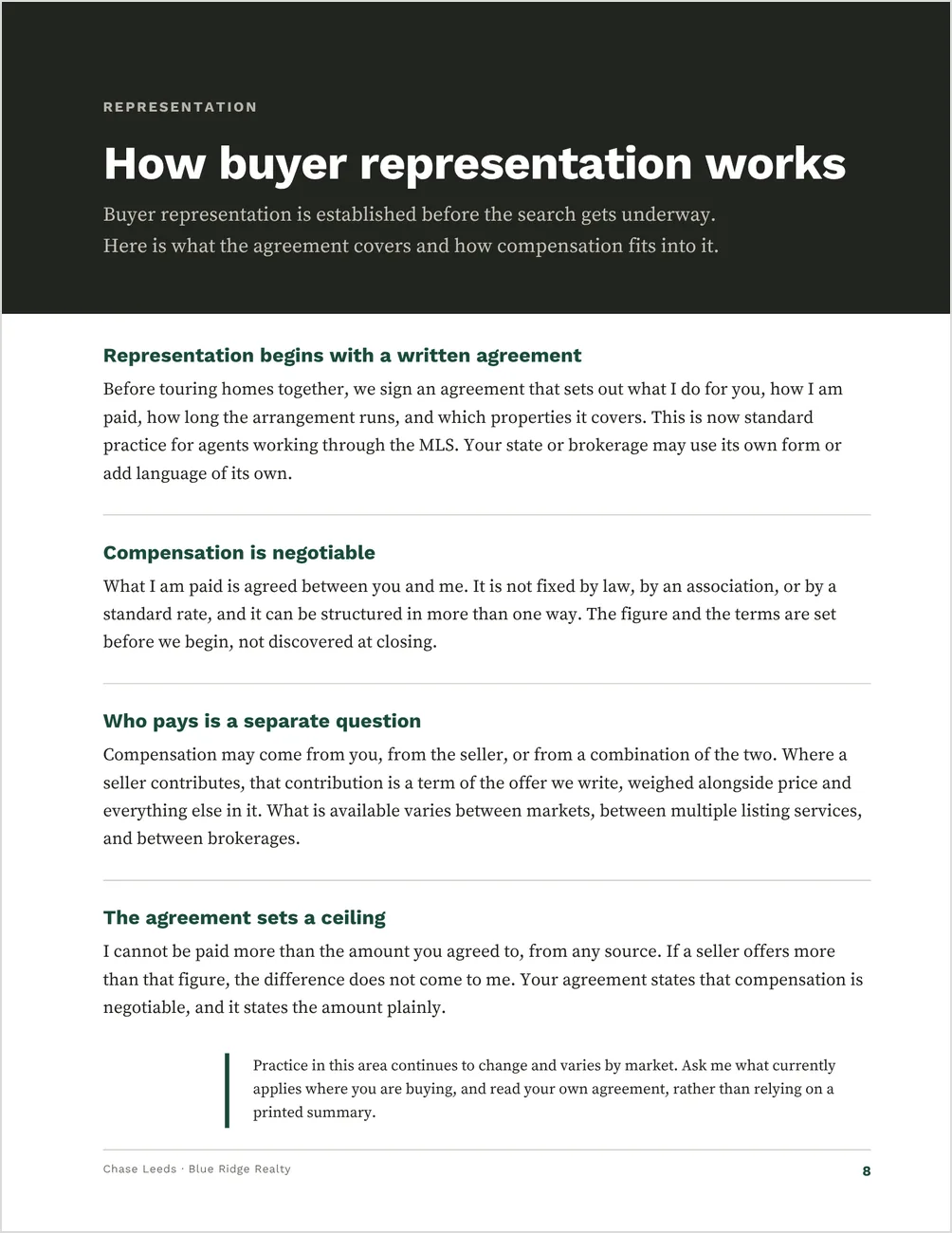
Representation
The written agreement in four plain propositions: what it commits the buyer to, that compensation is negotiable rather than fixed by law or a standard rate, that who pays is a separate question from how much, and that the agreement sets a ceiling the agent cannot be paid above from any source.
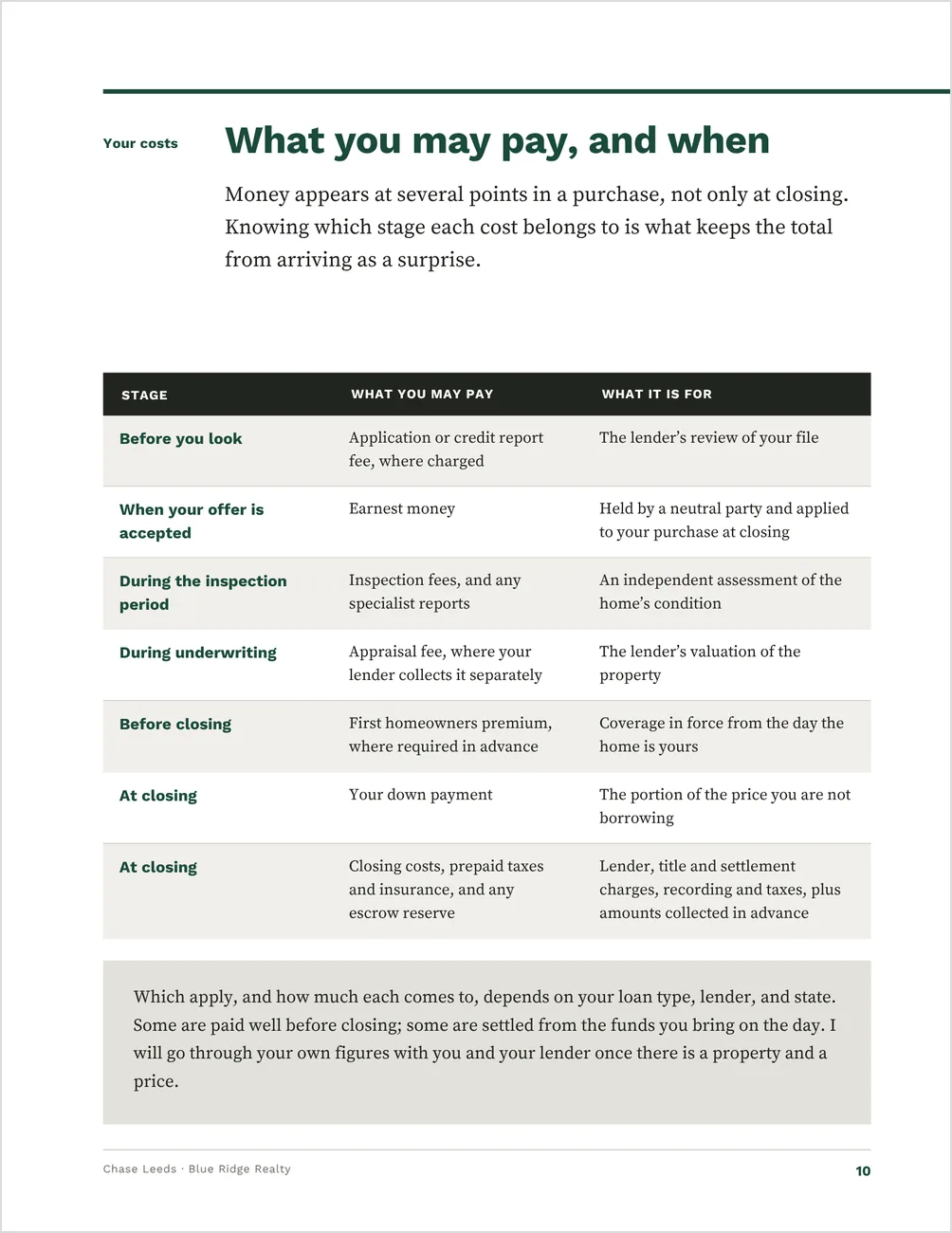
Cost by stage
A table of what a buyer may pay and when — before they look, at acceptance, during the inspection period, during underwriting, before closing, and at closing — so the total does not arrive as a surprise on the day.
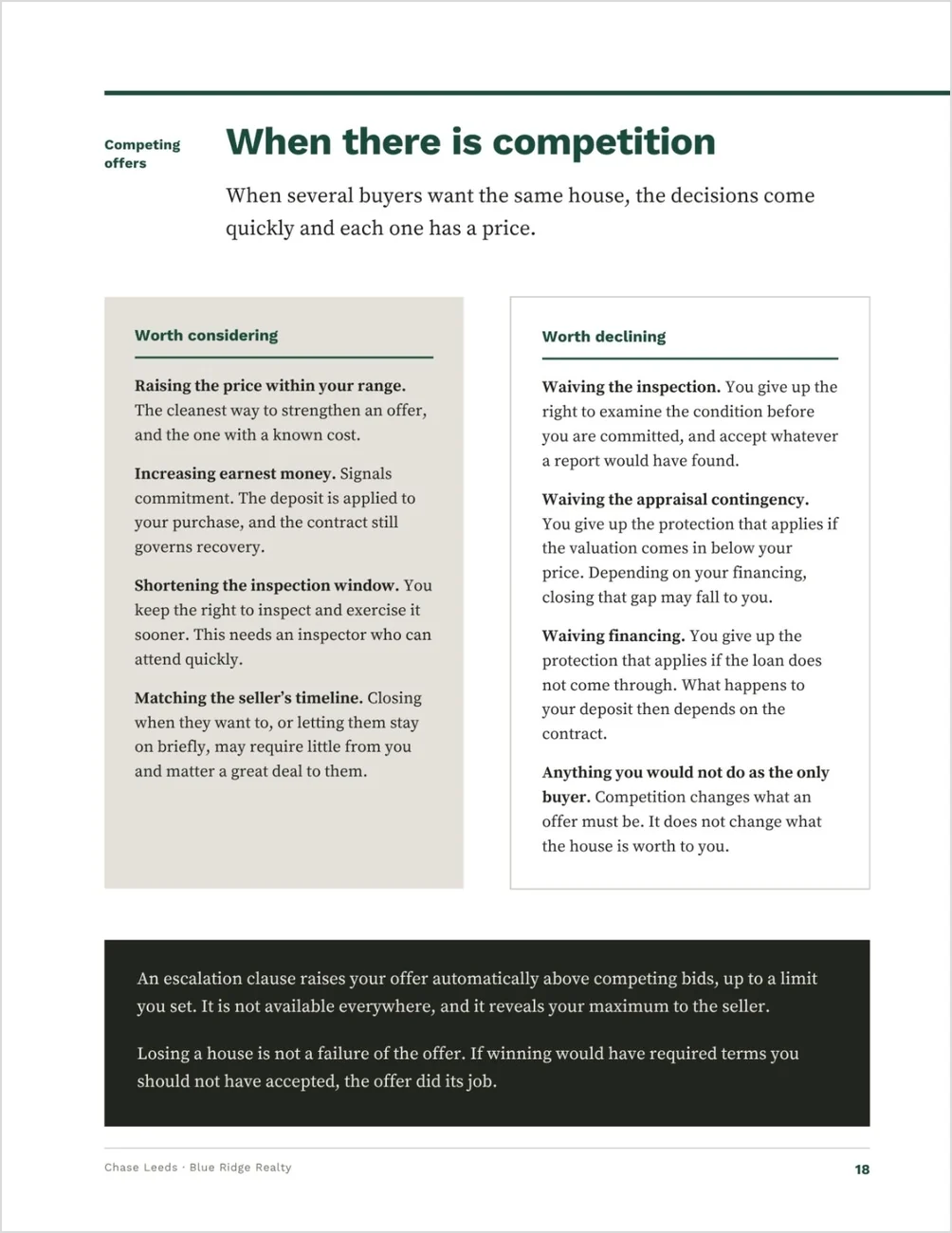
Competing offers
What is worth doing set against what is worth declining, with the cost of each waiver stated plainly — and the reminder that competition changes what an offer must be, not what the house is worth to the buyer.
A wire-fraud warning, placed where it lands
A full page on verifying wiring instructions before any funds move, using a number the buyer found themselves rather than one in the email — and calling again to confirm the money arrived.
Guide or presentation?
Before the consultation: this guide.
The fundamentals, sent ahead and read on their own time. It’s generic on purpose: no client name, price range or property fields.
At the consultation: the Buyer Presentation.
The working document you go through together: what they want, the agreement and your compensation, how an offer is built, and a written decision at the end. View the Buyer Presentation →
Best for buyer’s agents who run their own consultations
You want something professional to send the moment a buyer reaches out, and you would rather set a guide up once than assemble one per client.
A good fit if you:
- want every new buyer to have the same clear explanation before the first consultation or tour
- work with first-time buyers who need the process explained before anyone talks about houses
- are newly licensed and building your buyer materials, or updating what you hand out now that representation agreements come first
Not ideal if:
- you want a guide customized to each buyer or property — this one is generic on purpose, with no client name, price range or property fields
- you only work the listing side — the Home Seller Guide covers the seller side on its own
- you want a working document for the consultation itself — that’s the Buyer Presentation
From the buyer agreement to closing day, page by page
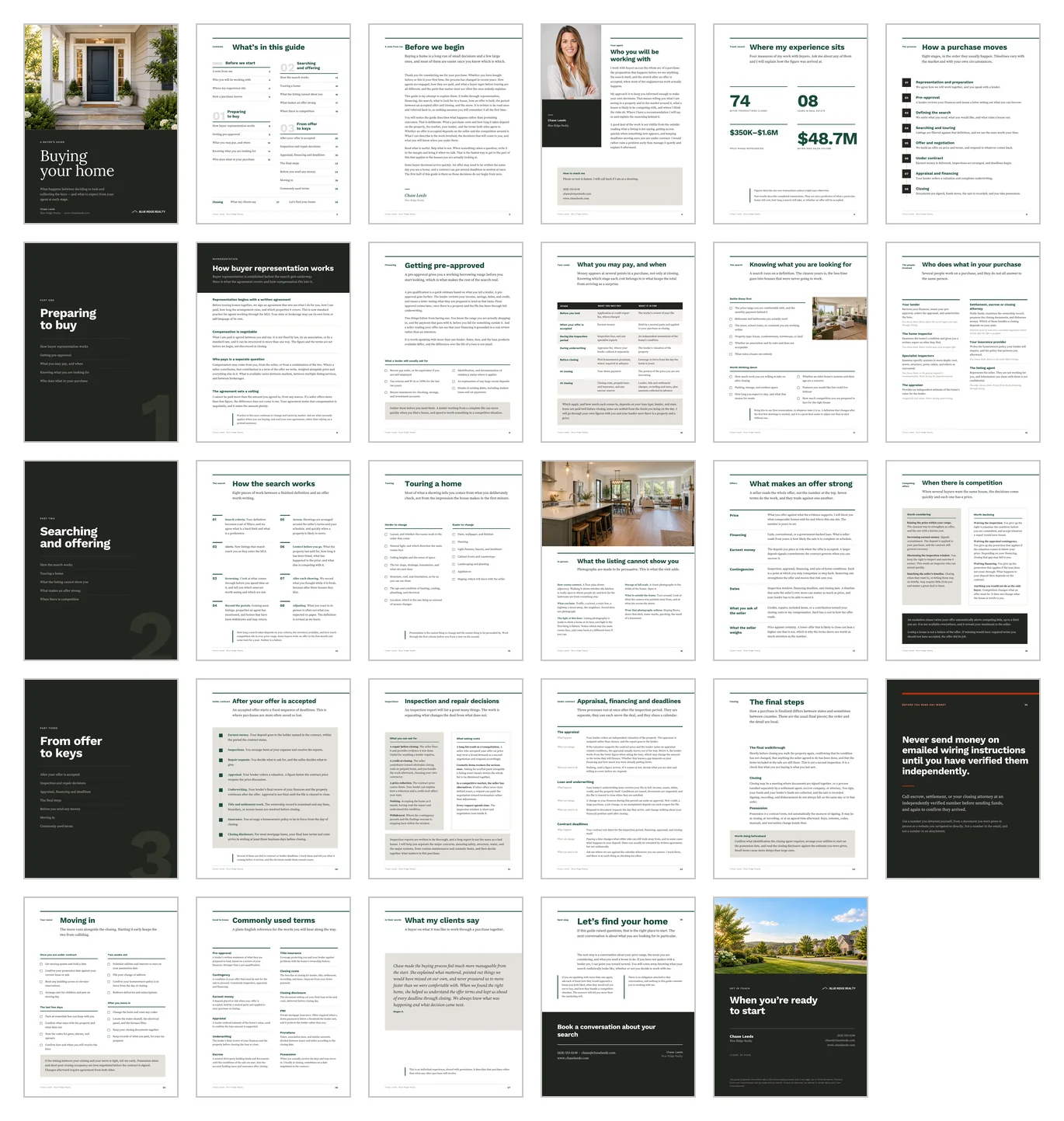
One editable Canva template — 29 pages, 8.5 × 11 in (US Letter), print-ready. It carries no client name, price range or property fields, so one export works for every buyer you send it to.
Preparing to buy
- How buyer representation works
- Getting pre-approved, and what a lender asks for
- What a buyer may pay, and when
- Defining the search before it starts
- Who does what in a purchase
Searching and offering
- How the search actually runs
- Touring a home
- What a listing photograph cannot show
- What makes an offer strong
- When there is competition
From offer to keys
- The deadline sequence after acceptance
- Inspection and repair decisions
- Appraisal, financing and deadlines
- The final steps, and wire fraud
- A four-stage moving checklist
Around those: a welcome letter in your voice, your agent page, a track-record page for four of your own buyer-side figures, a 12-term plain-English glossary, a client testimonial page and a closing call to action. A Quick Start guide and your Canva template link come with the download.
See every page before you buy
Every page is designed and written. Nothing is a blank frame you have to fill in.
Setup is find-and-replace, one headshot and one color
1. Add your details.
Find-and-replace your name, brokerage and contact details across all 29 pages, then drop in your headshot — the frame is portrait 4:5.
2. Add your proof.
Fill in your four track-record figures and your client testimonial, or remove the testimonial page.
3. Change the brand color.
It ships in a bright magenta so anything you miss is obvious. Canva treats text and shapes separately, so run the change twice.
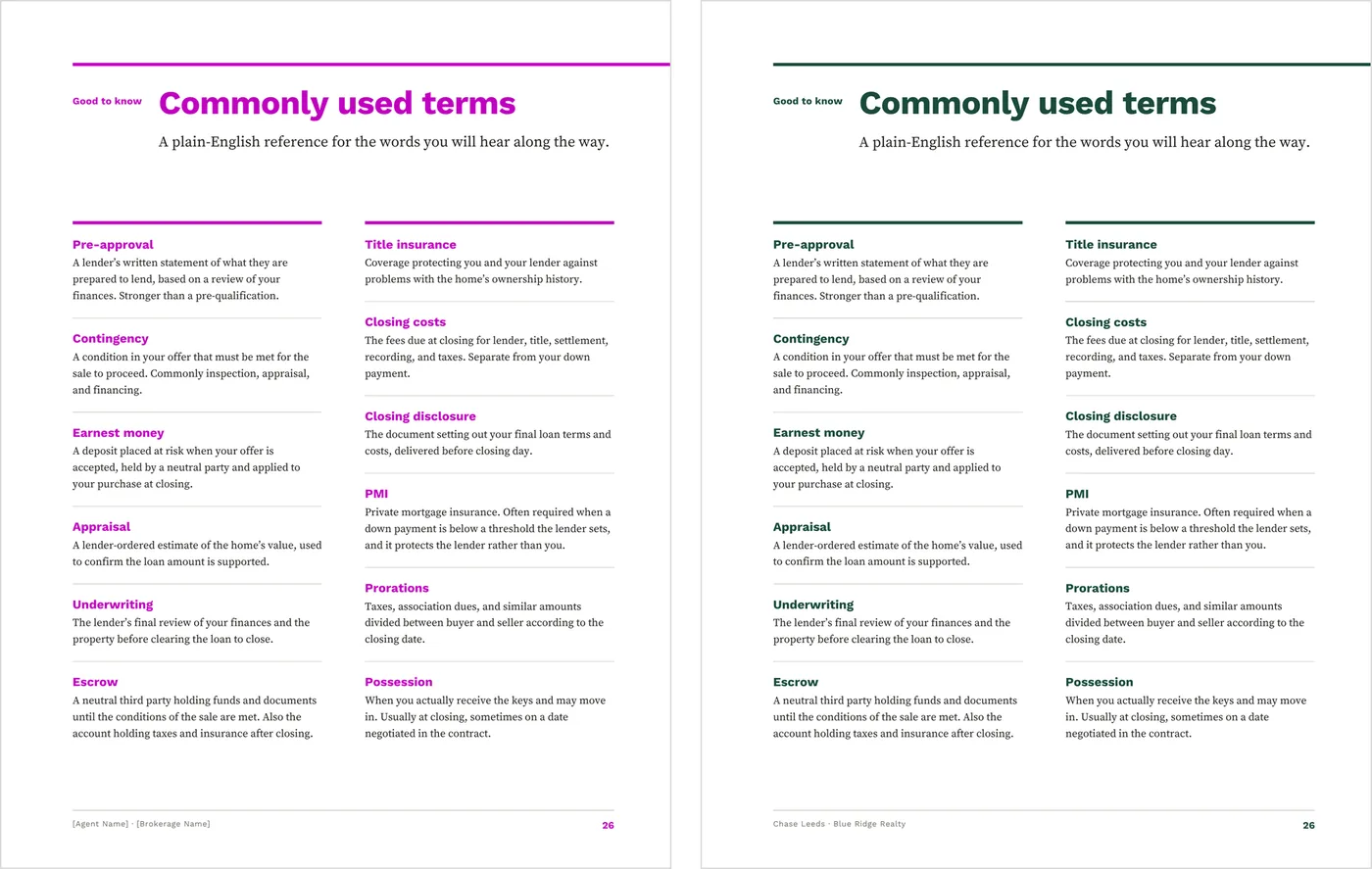
As it downloads, and after the brand color is set.
Then keep the finished PDF ready and send it when the next buyer reaches out. Print copies if you hand it over in person. You are adding your details and your numbers, not writing a buyer guide.
What to know before you buy
A reusable educational guide, not a buyer-specific consultation file. Review the representation, compensation, cost, forms and brokerage language for your local requirements, and update it as practices change.
Everything edits on Canva’s free plan. The body text is serif, and every font is included. A headshot is the only image you have to add; the sample photos are AI-generated, so keep them or replace them.
Export a PDF to email, or print at home, at the office or at a print shop. Exports carry crop marks and 3mm bleed; they are RGB, so a shop converting to CMYK will shift deep charcoals and saturated brand colors slightly.
It is a static template: it does not connect to MLS data, a CRM, lender portals, e-signature tools or social accounts. It is a digital download, and nothing physical ships.
Before this goes to a buyer
This is an editable Canva template for general client education. It is not legal, financial, tax or lending advice, and it has not been reviewed for compliance in any jurisdiction.
Compensation is negotiable. The guide says so and names no standard, typical or customary figure. Do not add one.
The cost table names what a buyer may pay and when, not how much. It is not a Loan Estimate or any other lender disclosure.
Good to know before you send it
- Replace the sample agent name, brokerage, contact details and license number
- Replace the four sample track-record figures and the sample testimonial
- Read the representation page against your state, MLS and brokerage requirements
- Use the official forms and approved language for your area
- Export the finished PDF and read it through before it goes to a client
Once the consultation is booked
Work through the Buyer Presentation at the table. This guide covers the fundamentals before the first meeting. The presentation is the working document for the meeting itself: what the buyer wants, the agreement and your compensation in plain language, how an offer is built, and a written decision at the end.
Working the listing side too?
The Home Seller Guide is set in the same layout and typography. Get both guides together for $39 (separately $50).
Each is sold separately, and this guide needs none of them.
Common questions
Is it current with the 2024 NAR practice changes?
It is written for how buyer representation works now: a written agreement before touring, compensation that is negotiable, and a ceiling the agreement sets. The representation page also tells buyers that practice keeps changing and varies by market, and to read their own agreement. Confirm what applies in your state and brokerage before you send it.
Do I need Canva Pro?
No. It edits on Canva’s free plan, and every font it uses is included.
Is there an A4 version?
No. The guide is US Letter (8.5 × 11 in) only.
When do I send it, and when do I use the Buyer Presentation?
The guide when a buyer first reaches out, before the consultation or the first tour. The presentation at the consultation itself.
Keep a buyer guide ready for the next buyer lead
Set it up once, then send the same guide whenever a buyer reaches out.