
Editable Canva Template for Real Estate Agents
Buyer Presentation for Realtors — Editable Buyer Consultation Packet
Handle what they want, what they’re signing, and what happens next in one buyer consultation.
A consultation document you print and work through at the table. The buyer writes down what they’re after and where they are financially, you go through the agreement and your compensation in plain language before any touring, and the meeting ends with criteria, a price ceiling and a next step on paper, initialed by you both.
$35 · One-time purchase
20 pages + 2 alternates · Canva Free · US Letter portrait · Instant download
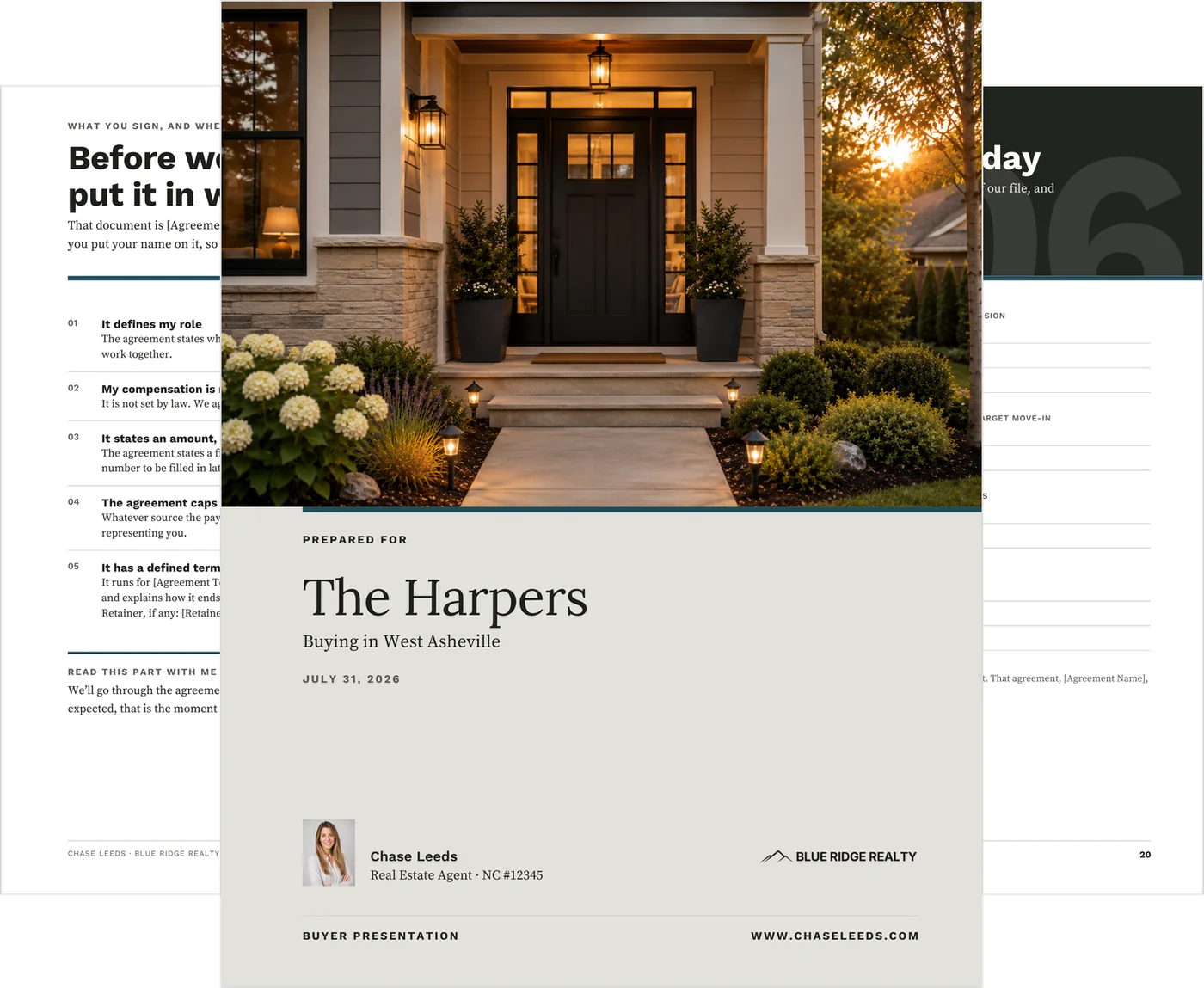
How the meeting runs
The same conversation, every time
What they want.
Criteria, deal-breakers, timeline and who else is part of the decision.
What they sign.
The agreement, your compensation and where it can be paid from.
What happens next.
Criteria, a price ceiling and the first three actions, initialed by both of you.
Start: you hand it over and start at page three.
The buyer is writing before you’ve explained anything about yourself.
Next: the agreement has a natural place in the conversation.
It comes after you’ve defined what they’re looking for.
Then: their common questions are already on page eight.
Answered in plain language, where buyers usually ask them.
Before they leave: you both initial the last page.
Criteria, ceiling, next actions. It’s a record of the meeting, not an agreement.
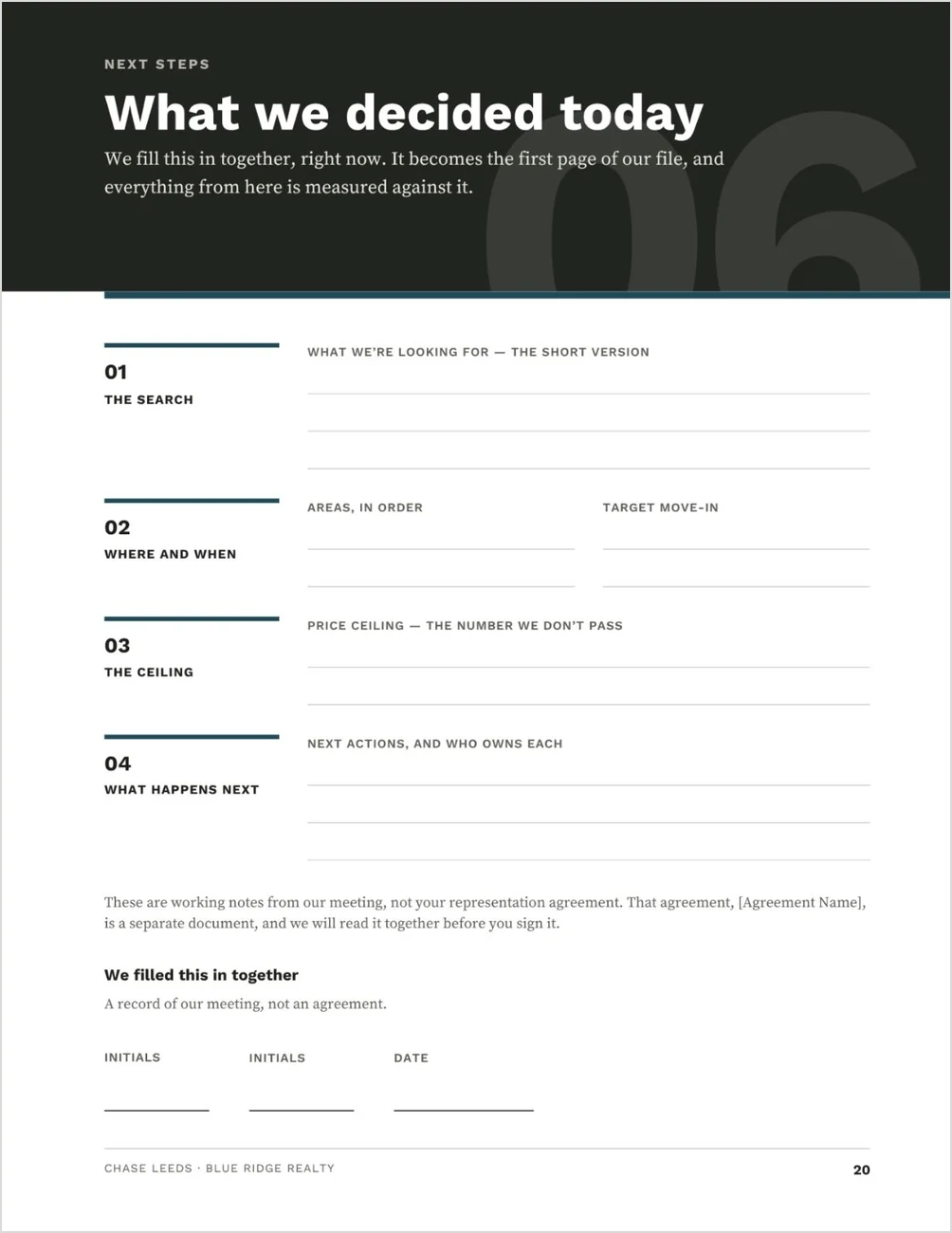
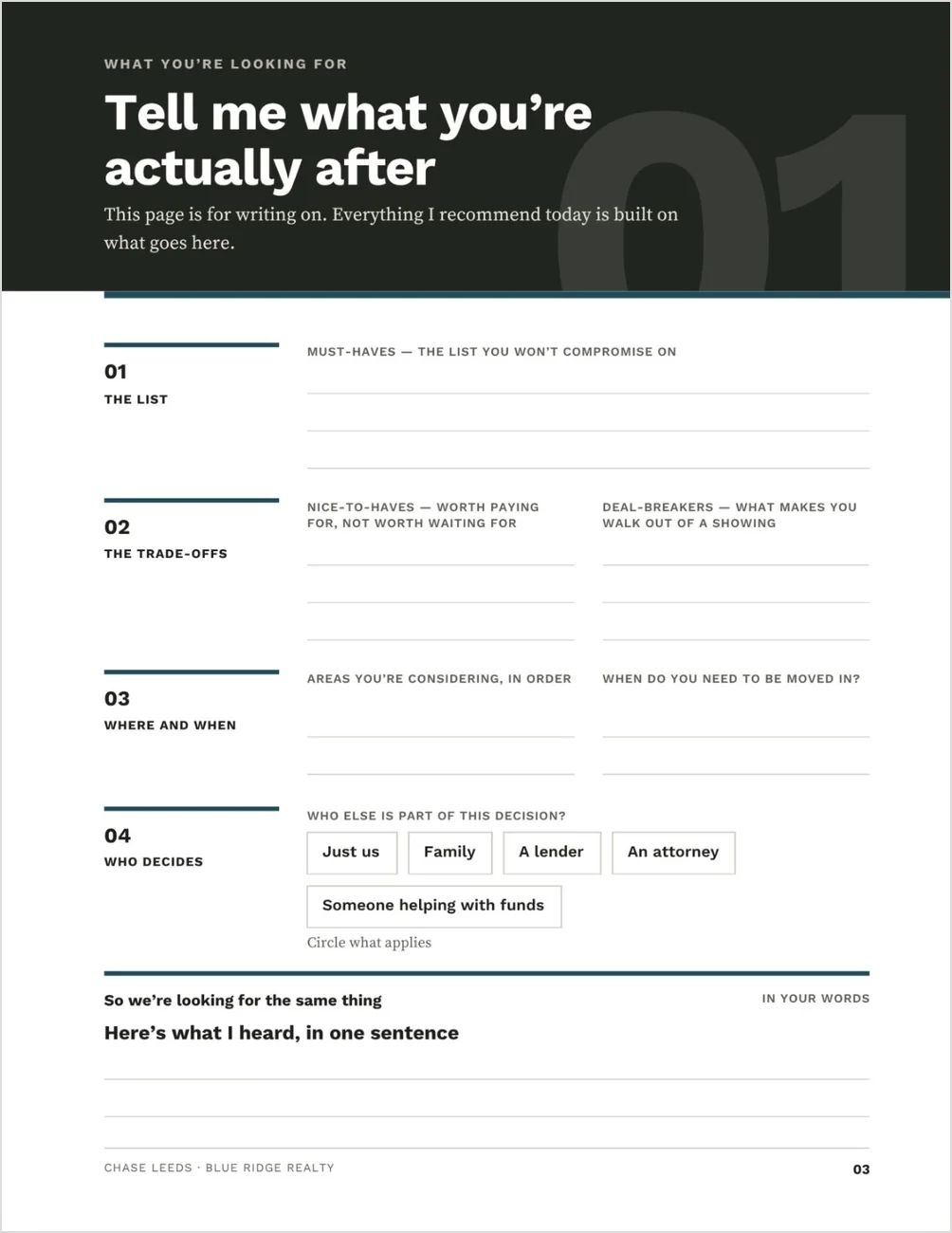
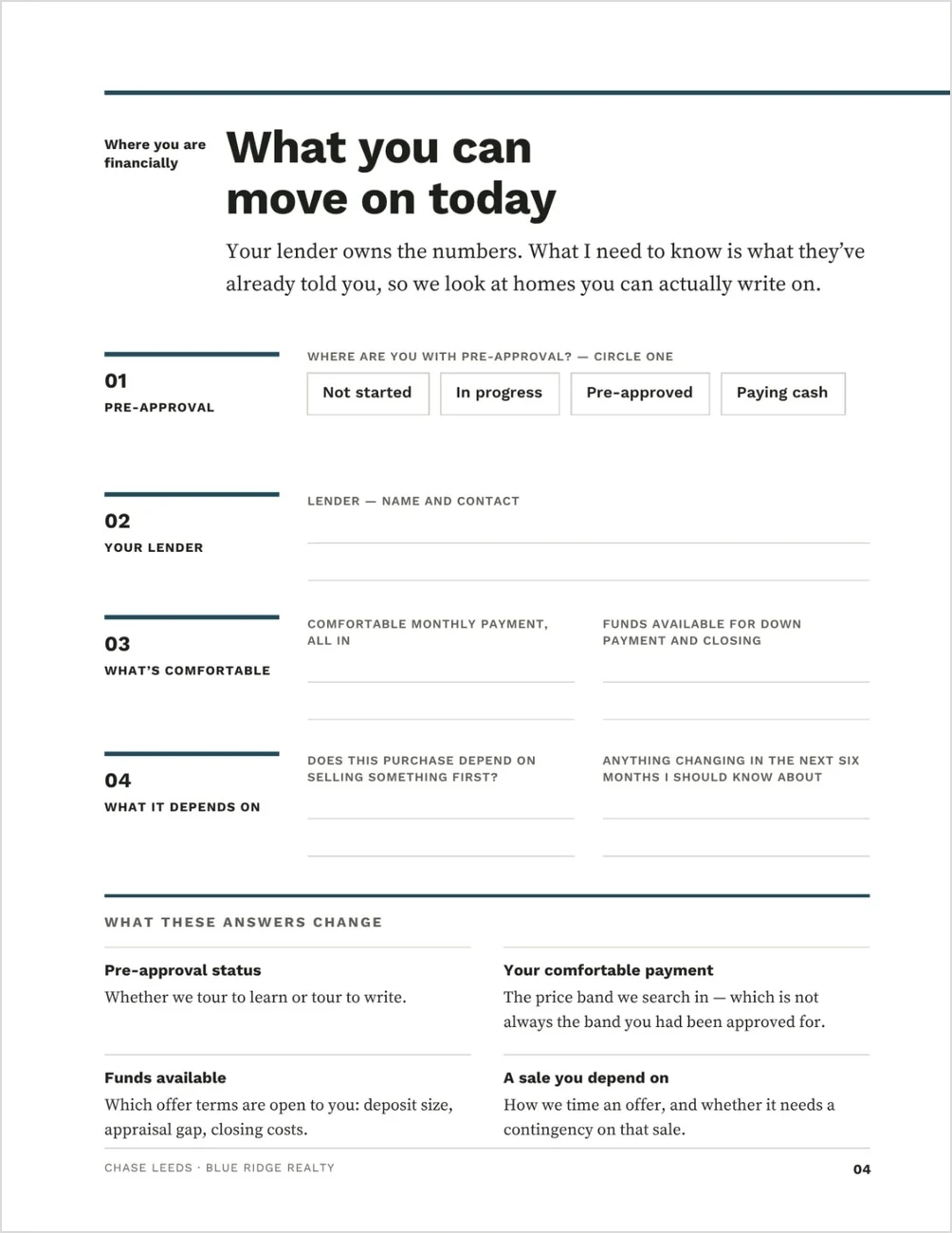
Two pages the buyer fills in while you talk
Must-haves, deal-breakers, areas and who else decides. Then pre-approval status, lender, a comfortable payment and funds available, and what those answers change: whether you tour to learn or tour to write, the price band, which offer terms are open, and whether a sale they depend on needs a contingency.
Inside: the agreement, your compensation, and the buyer’s questions
Pages five, six and eight, at a size you can actually read.
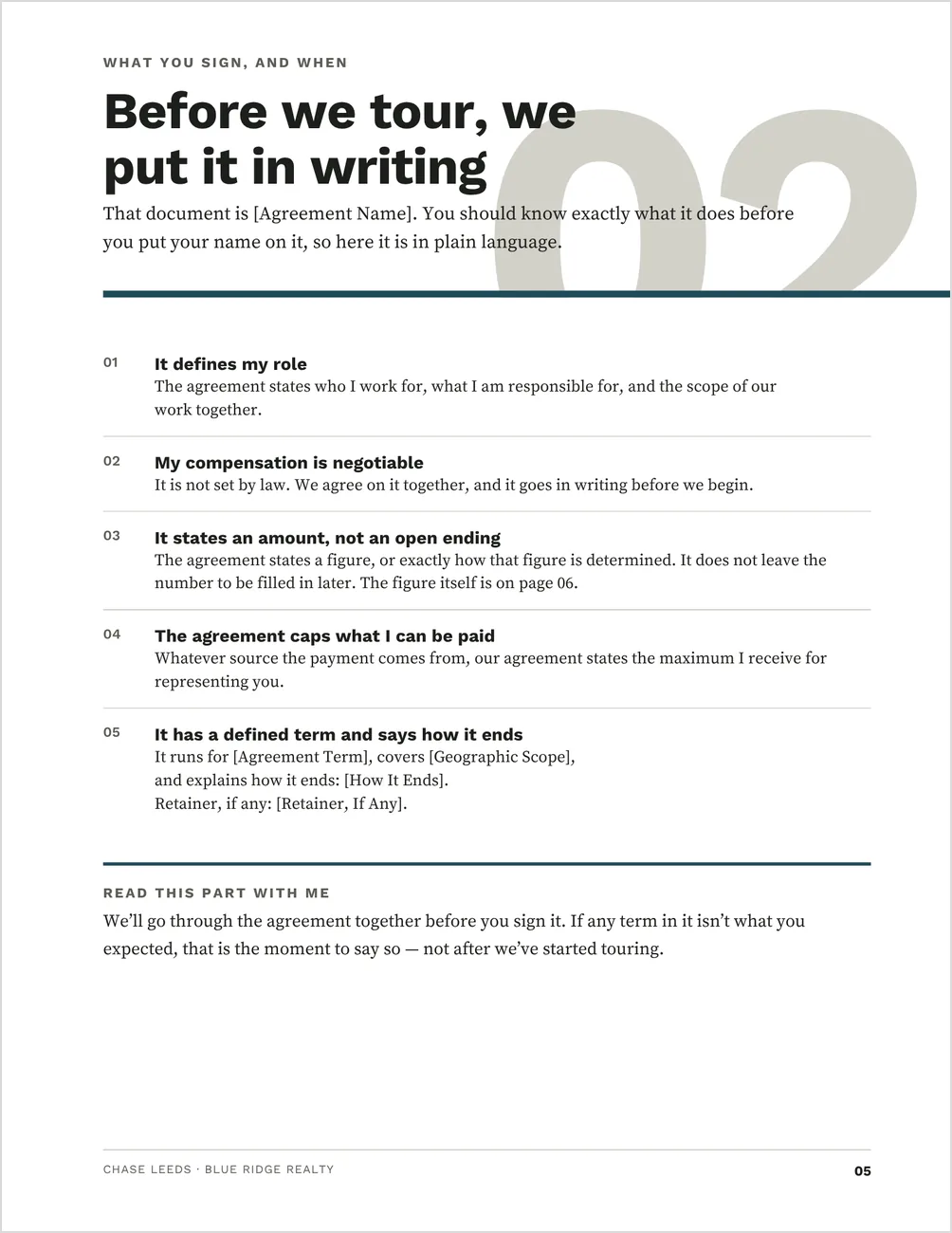
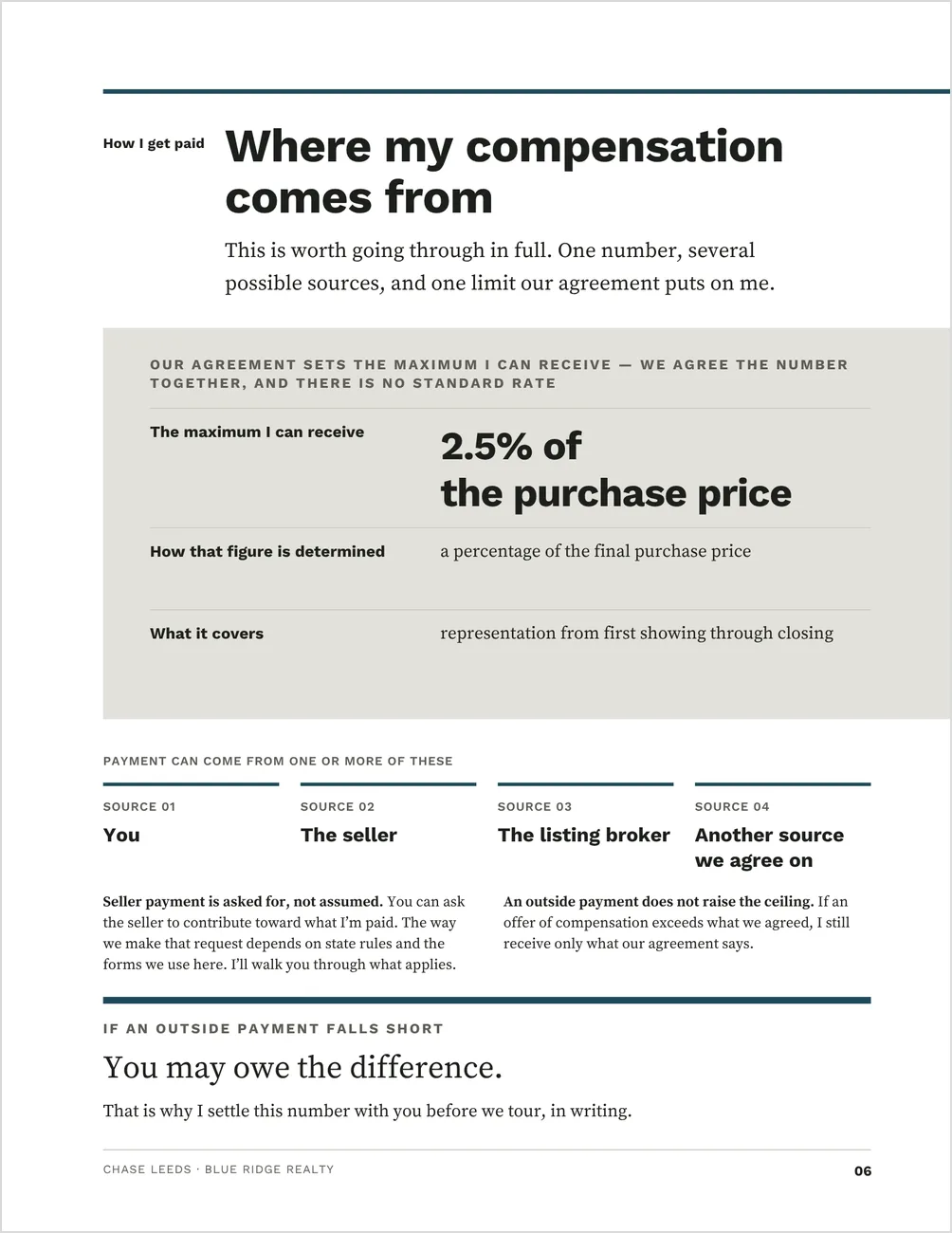
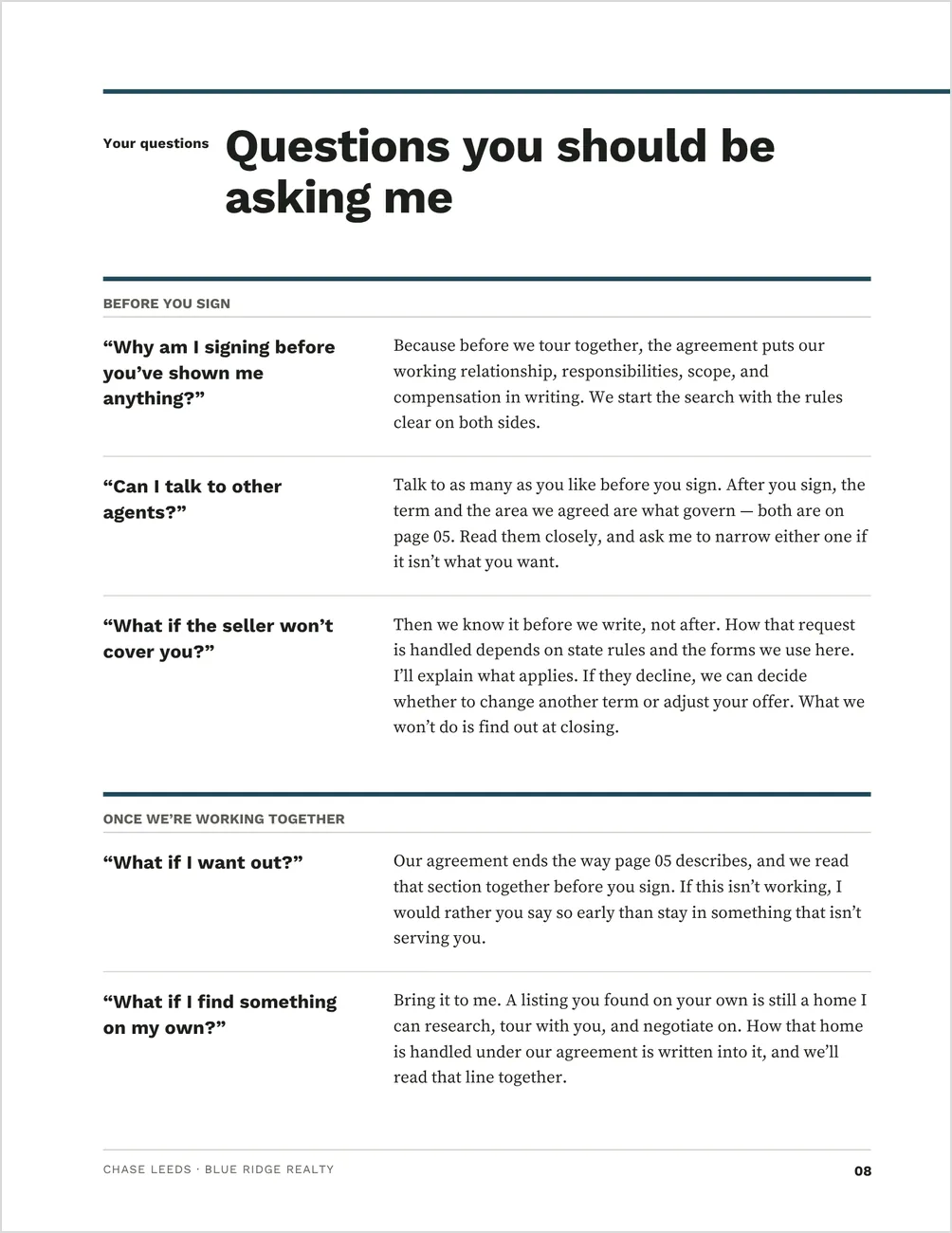
Sample pages. The buyers, agent, brokerage and every figure shown are demonstration content you replace, including the percentage on the compensation page. Compensation is negotiable and agreed in writing, and nothing shown is a standard or customary amount.
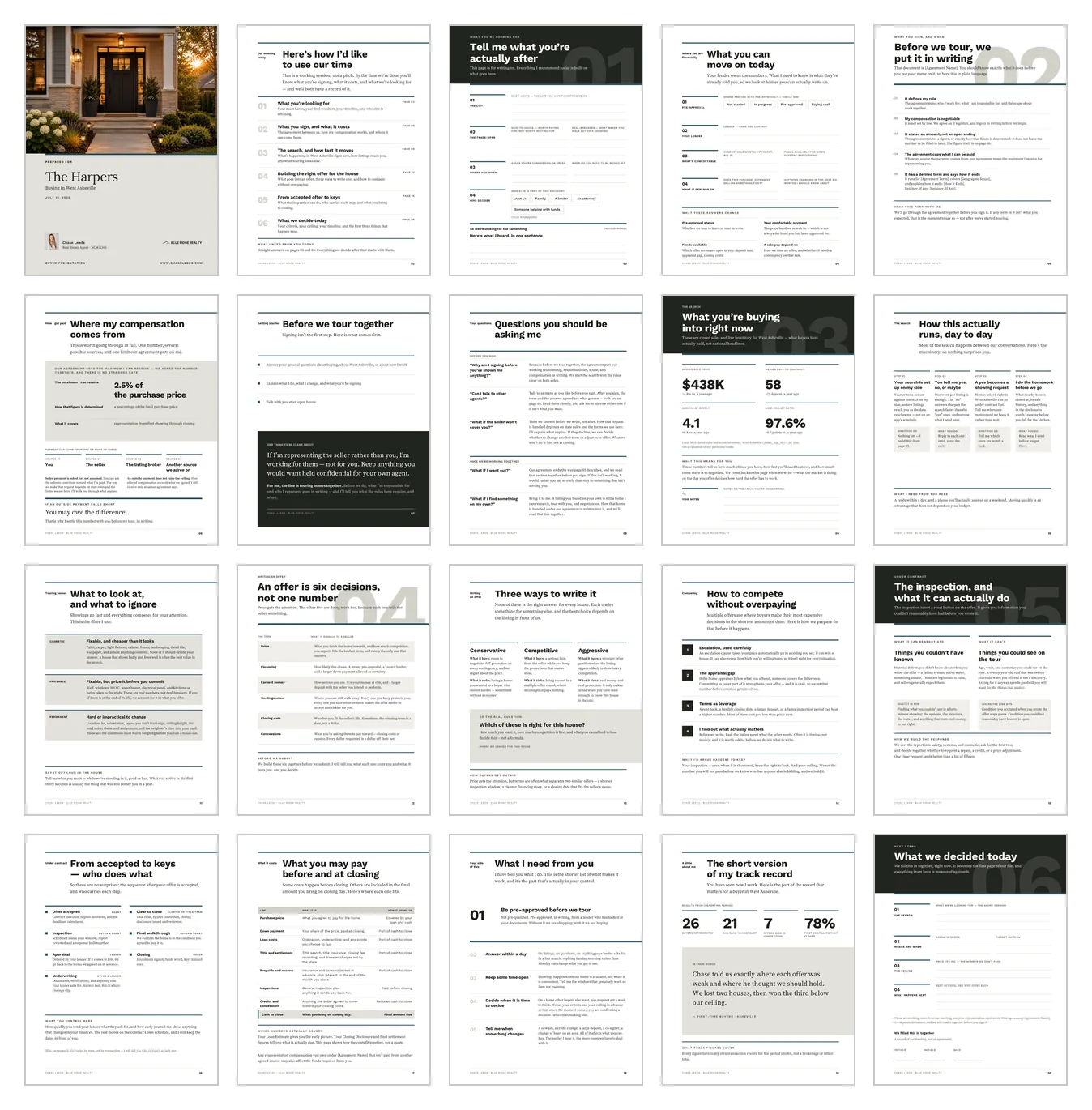
Why the agreement comes before the market
Most buyer presentations put the agreement at the back, after the buyer has been sold on working with you. By the time you reach offer strategy here, both questions every buyer now asks have been answered on paper, in your words, at a moment you chose.
The agreement
Page five. What the buyer representation agreement does, in five plain points, with the term, geographic scope, compensation and exit written as fields you fill in.
Compensation
Page six. Where your compensation can come from, that it is negotiable and agreed in writing, that a payment from another source does not raise the ceiling, and what happens if an offer of compensation falls short.
The buyer’s questions
Page eight. The five questions that come up most, in the buyer’s own words, answered right after the agreement, where the objections actually surface.
The decision
Page twenty. The search, the areas, the price ceiling and what happens next, filled in together and initialed and dated — a record of the meeting, not the agreement itself.
An offer is six decisions. Not one number.
Price gets attention. Financing, earnest money, contingencies, timing and concessions all shape the offer. The page walks through what each one signals to a seller, and you build the six together before you submit.
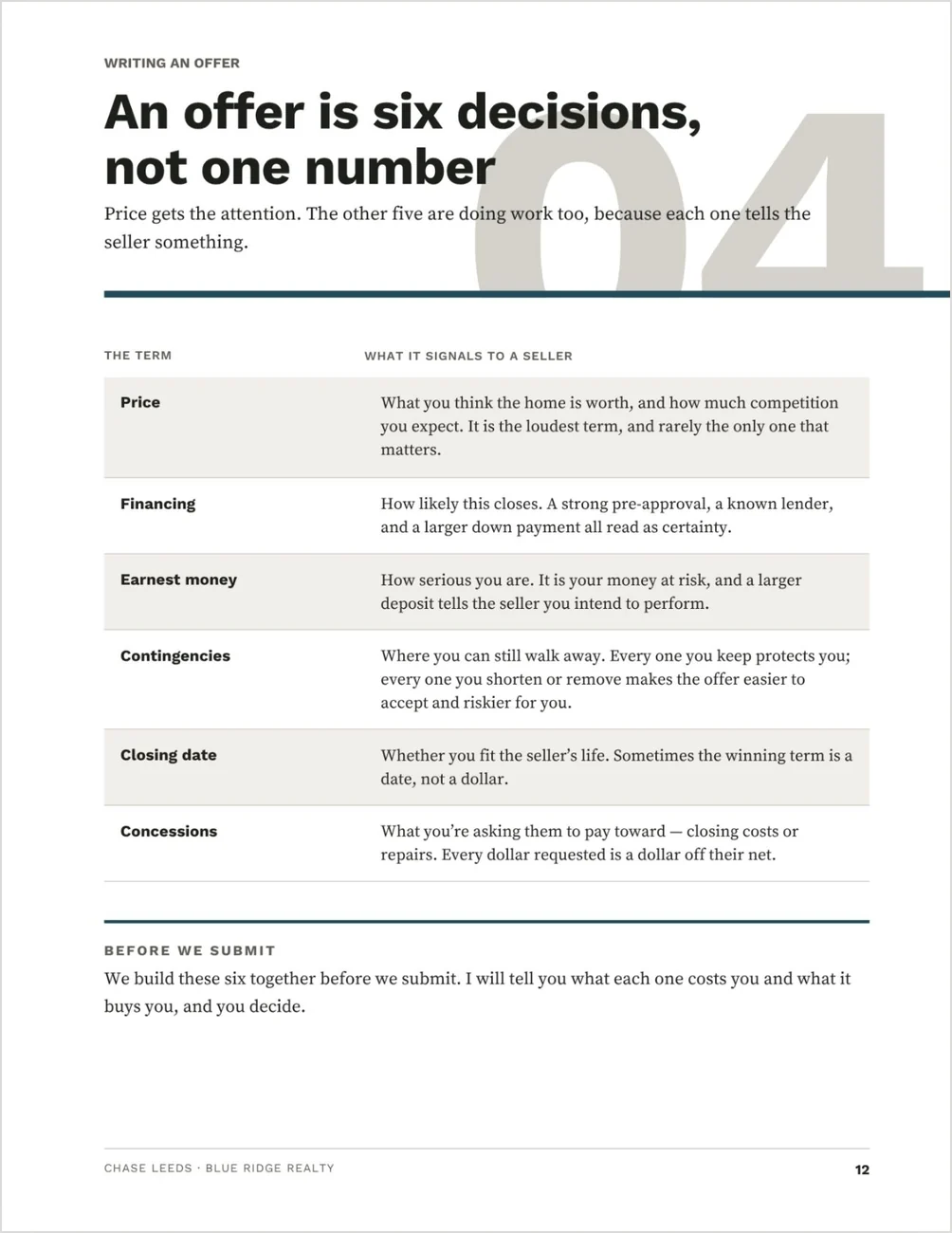
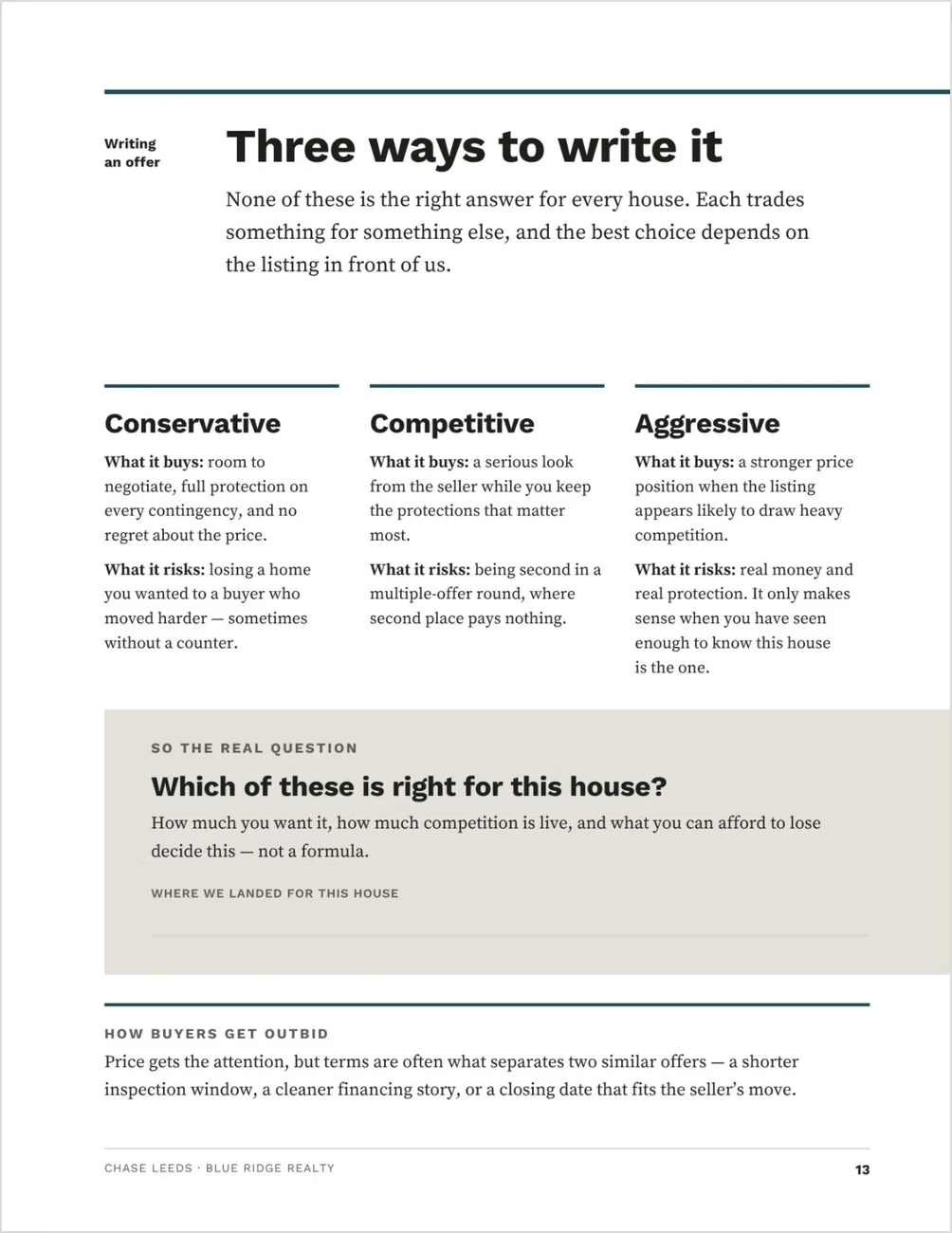
Three ways to write it. Conservative, competitive, aggressive: the buyer sees what each approach buys and what it risks, then decides which is right for this house. It isn’t a formula. Page fourteen, Competing without overpaying, follows.
Conservative. Competitive. Aggressive. The buyer sees what each approach gains, and what it risks.
Best for buyer’s agents who sit down with buyers before any touring
You want the agreement and the compensation conversation handled the same way every time, on paper and in your own words, rather than improvised.
A good fit if you:
- hold a first meeting with every buyer and want it to end with a written decision, not an open question
- would rather hand the compensation conversation a page than talk your way through it
- work with buyers who want to understand the agreement before they are asked to sign one
- are in your first year, with no results to show yet — the alternate proof page is built for that
Not ideal if:
- you present on a screen — there is no slide-deck version in this release; it is a print and PDF document
- you want something to send before the meeting — that is the Home Buyer Guide
The agreement at page five, the decision at page twenty
One editable Canva template — 8.5 × 11 in portrait, 22 pages in the file and 20 in the finished presentation. Four of them are written on at the table.
Before anything is signed
- Cover and agenda
- What you’re looking for (write-on)
- Where you are financially (write-on)
- The agreement, in five plain points
- Where your compensation comes from
- What you can do before signing
- The buyer’s own questions
Searching and offering
- Your search-area market (write-on)
- How the search runs, day to day
- Showings: what is fixable, what to price in, and what is not fixable at any price
- An offer is six decisions
- Three ways to write it
- Competing without overpaying
From contract to decision
- What the inspection can and cannot renegotiate
- Accepted to keys, and who carries each step
- Where every closing cost falls
- What you need from the buyer
- Your proof page, in two versions
- What we decided today (write-on)
Every conversation page ships with written default copy, built to be read aloud as written, so you are editing rather than writing. A Quick Start Guide and your Canva template link come with the download.
See every page before you buy
Every page is designed and written. The bracketed fields are the parts only you can fill in: your agreement terms, your market figures and your results.
Proof that works in your first year or your tenth
Two designed alternates ship at the back of the file. You move one in, delete the page it replaces, and the presentation still runs 01 to 20 with no gap.
The proof page.
The default leads with results: buyers represented, average days to contract, offers won in competition, first contracts that closed, and a testimonial. The alternate leads with what a buyer can hold you to, and each point names the page where they can check it. It needs no statistics and no testimonials.
The cover.
The default runs a photograph, included. The alternate is type-led and needs no image at all.
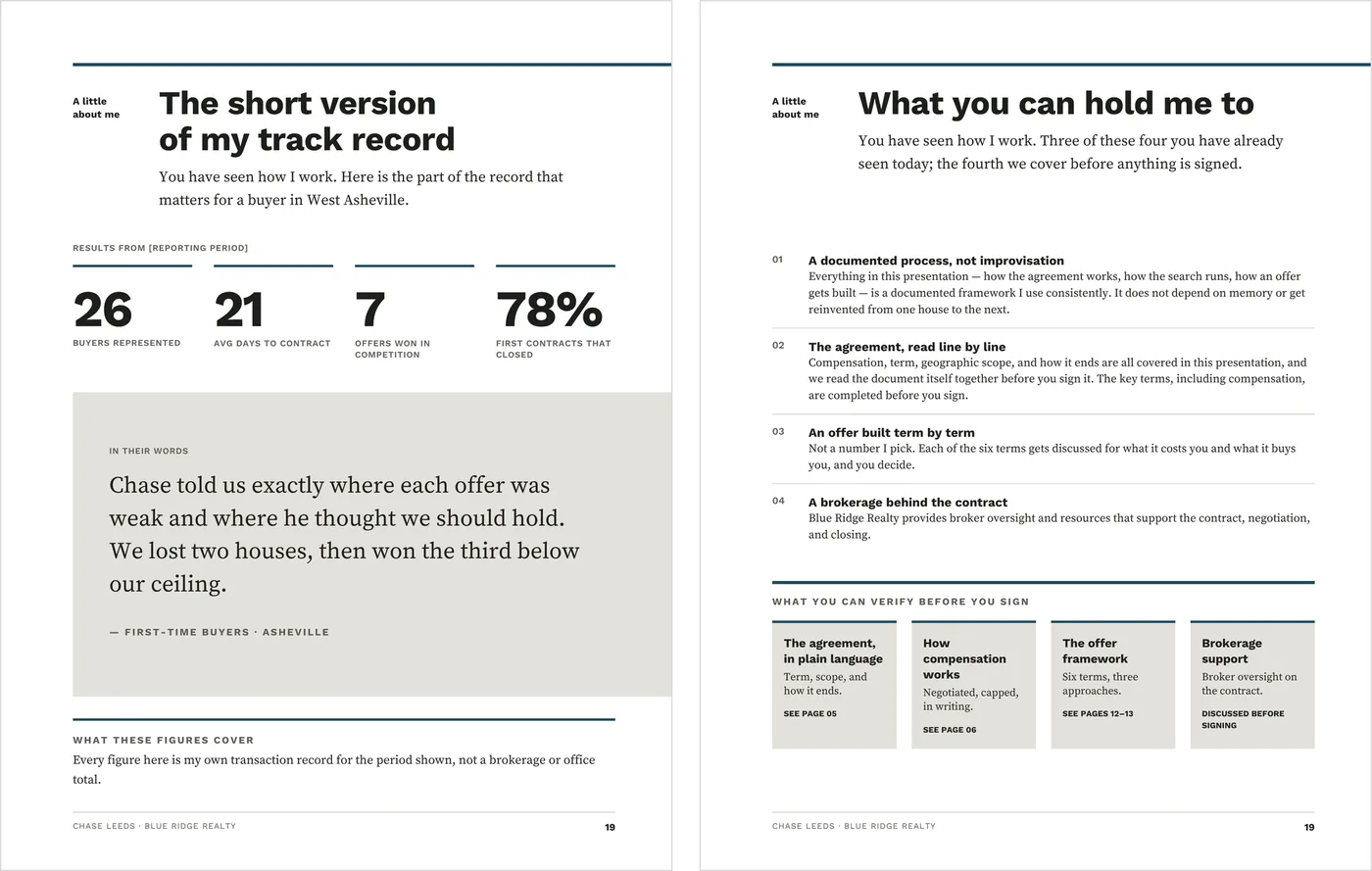
Results, or what the buyer can hold you to.
Setup is find-and-replace, your agreement terms and one color
1. Add your details.
Find and replace the buyer names, search area, your name and title, brokerage, license number, website and date. Add your headshot and logo, or delete the logo placeholder.
2. Fill in the agreement fields.
Pages 5, 6, 17 and 20 carry the agreement name, term, geographic scope, how it ends, any retainer, and your compensation amount or rate. Check each against your own forms as you go.
3. Add your market and your proof.
Enter your figures for the search area on page 9 and name their source. Enter your results on page 19, or move in the alternate proof page.
4. Set the brand color.
It ships in a bright magenta so nothing you haven’t replaced can hide. Select one accent, use Change all, and every rule, marker and panel moves to your color in one pass.
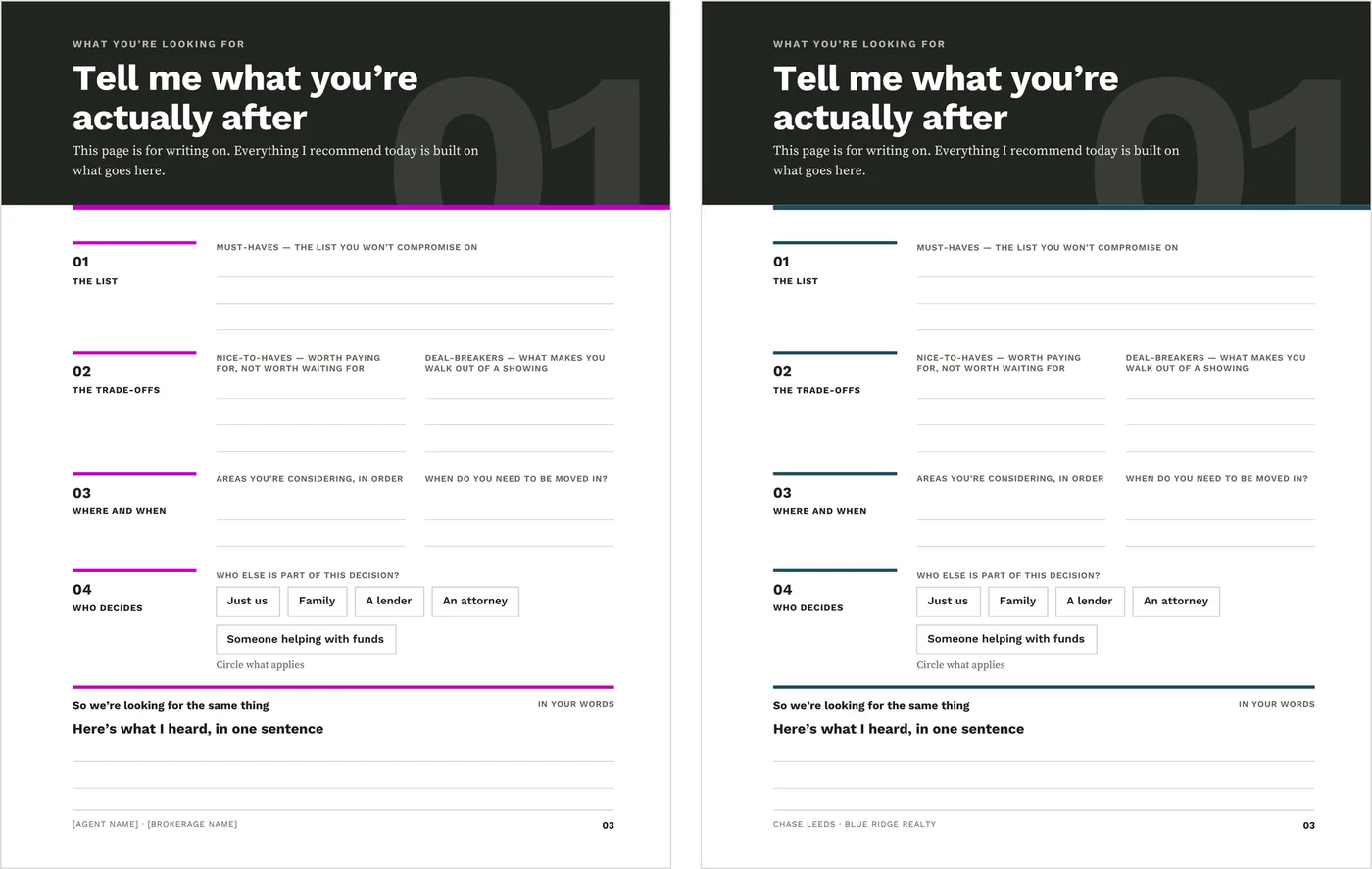
As it downloads, and after the brand color is set.
Then choose your cover, and print it for the meeting or send it ahead as a PDF. Once your agent and brokerage details are in place, later setups are mostly the buyer names, the search area and the current market.
What to know before you buy
One portrait print and PDF consultation format, not a separate screen deck. Review the agreement, compensation, brokerage and local-practice language before you use it.
Everything edits on Canva’s free plan, including the one-pass color change. Every page is typography-led and holds together with no photo, no headshot and no logo.
The cover photograph was generated with AI and is included as a ready-to-use default. Keep it, replace it with a residential exterior you have permission to use, or move in the type-led cover.
It is a static template: it does not connect to MLS data, a CRM, e-signature tools or social accounts. It is a digital download, and nothing physical ships.
Before you present it to a buyer
This is an editable Canva template. It is not a contract, a legal form or legal advice, and it has not been reviewed for compliance in any jurisdiction. Buyer representation agreements are named differently from state to state, and requirements vary by state, MLS and brokerage.
Compensation is negotiable and agreed in writing. The agreement fields ship as placeholders, and the template states no standard, typical or customary figure. Do not enter one as though it were.
The closing costs page shows where each cost falls and carries no dollar figures. It is not a quote, an estimate or a Loan Estimate. The decision summary uses initials and dates, not signature lines, and is not the representation agreement.
Good to know before the meeting
- Replace the sample buyer names, agent name, brokerage, contact details and license number
- Read the agreement, compensation and before-signing pages against your own forms and local rules
- Enter verified market figures for your search area, and name the source
- Replace the sample results and testimonial, or use the alternate proof page
- Read the first-person commitments as your own words, and edit anything you would not personally promise
Before the consultation: the Home Buyer Guide
The Home Buyer Guide is the document you send before the consultation, so the buyer arrives with the basics already covered. This presentation stands on its own and doesn’t need it.
Run listing appointments too? The Listing Presentation is the seller-side counterpart, built on the same page architecture.

Two client meetings. One decision-making system.
Both presentations get the client taking part in the conversation, explain the trade-offs before asking for a decision, and finish with the next step in writing. The Listing + Buyer Presentation Bundle is $59 (separately $74).
Each file is edited separately.
Common questions
Is there a slide-deck version?
Not in this release. It is an 8.5 × 11 portrait document for print and PDF, composed for a table rather than a screen.
I don’t have results or testimonials yet. Does it still work?
Yes. Move in the alternate proof page and delete page 19. It leads with commitments the buyer can check against the presentation itself, and needs no statistics or testimonials.
Do I need Canva Pro?
No. It edits on Canva’s free plan, and the one-pass color change works there too.
How is this different from the Home Buyer Guide?
The guide is sent before the meeting and teaches the fundamentals. The presentation is used during the consultation, to make decisions together.
End the first meeting with a decision in writing
The agreement and your compensation first, in plain language, then the offer decisions, and the buyer goes home with criteria, a ceiling and a next step you both initialed.