
Editable Canva Template for Real Estate Agents
Seller Checklists for Realtors — Four Stages, Two Cut-Off Cards
One page per stage, sent when your seller needs it.
Four one-page seller checklists for getting market-ready, photo day and showings, going under contract, and moving out. Each page goes out at its own moment in the sale instead of arriving as one long prep email.
Two of the pages carry a card your seller cuts off and keeps using: a showing reset for the fridge, and a property information card they hand to the new owners at possession.
$9 · Five pages, two cut-off cards
Cover + 4 checklist pages · 8.5 × 11 · Canva Free · Instant download
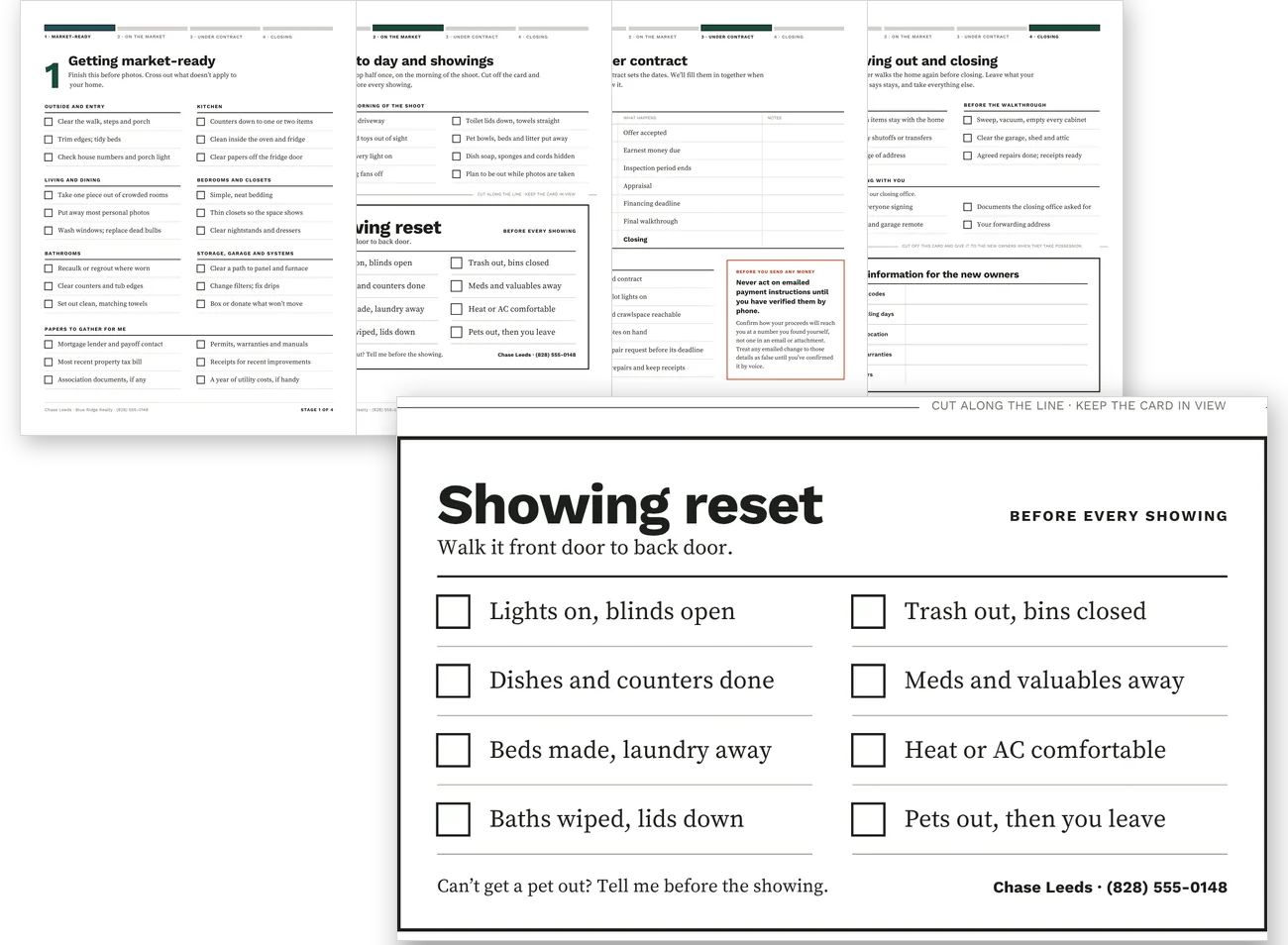
Each page has a moment it goes out
Your seller gets the stage they are in, not the whole sale at once. Print or send one page; the rest waits.
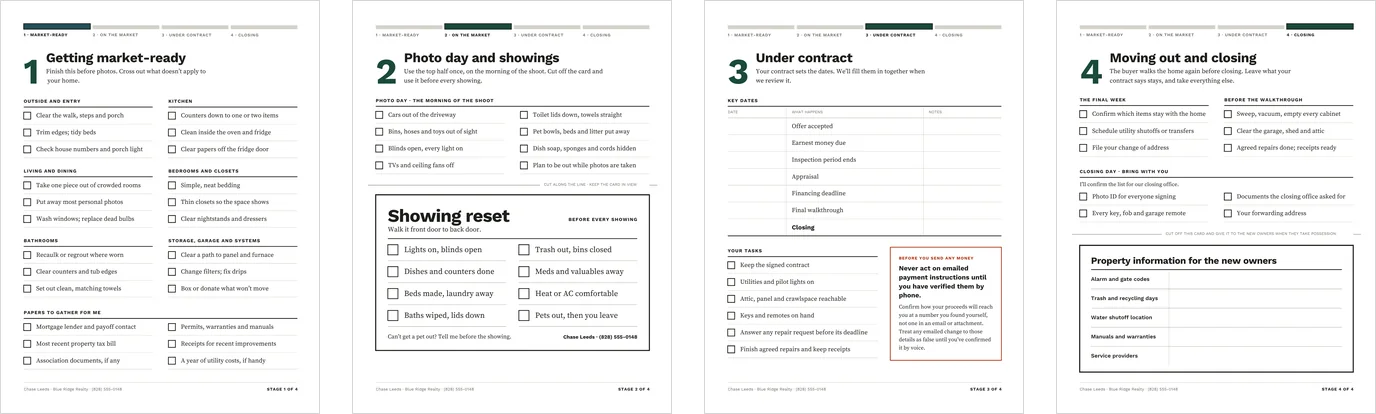
Getting market-ready
Goes out once the listing agreement is signed. Room by room before photos, plus the papers you need them to gather for you.
Photo day and showings
Goes out a few days before the shoot. The morning of the shoot, and the card they keep using for every showing after it.
Under contract
Filled in together at contract review. The key dates, and the seller tasks that follow.
Moving out and closing
Goes out about two weeks before closing. The final week, the walkthrough, and what to bring on closing day.
Two cards your seller cuts off and keeps
Both cards sit below a printed cut line on the page they belong to. Your seller keeps using them long after the page itself has done its job.
The showing reset, for the fridge
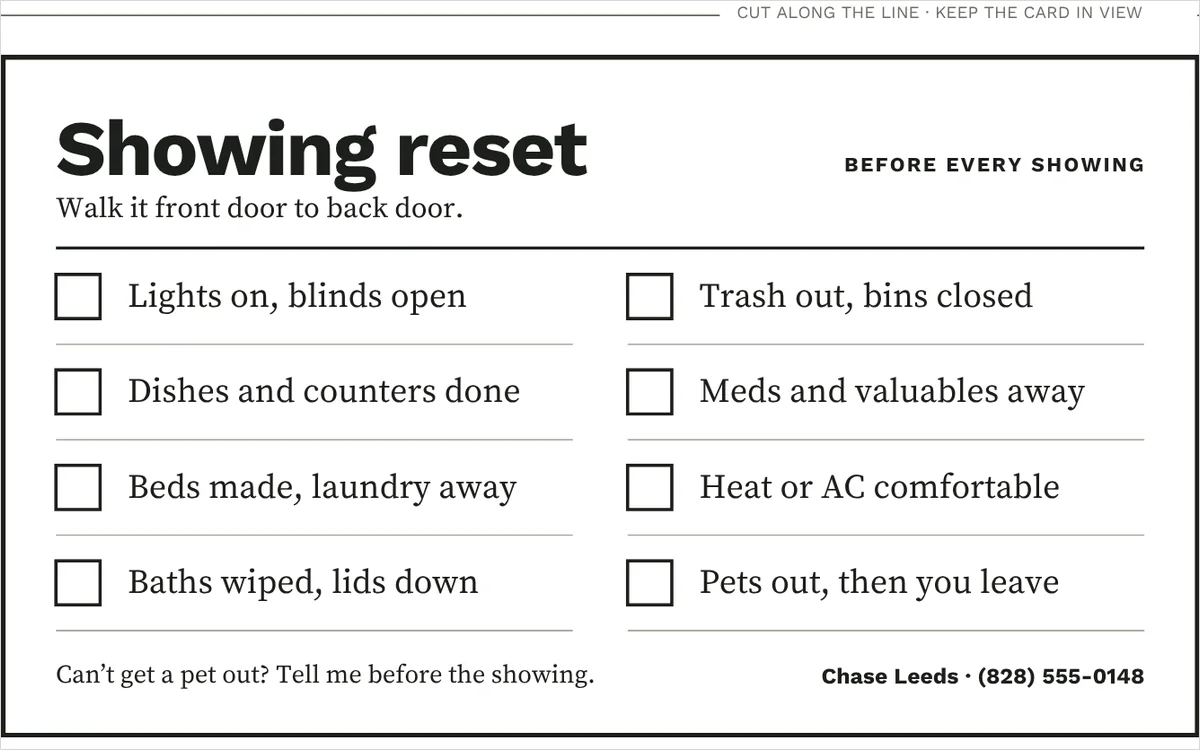
Cut off the Photo day page. Eight steps, front door to back door, with your name and phone on it.
The property information card, for the new owners
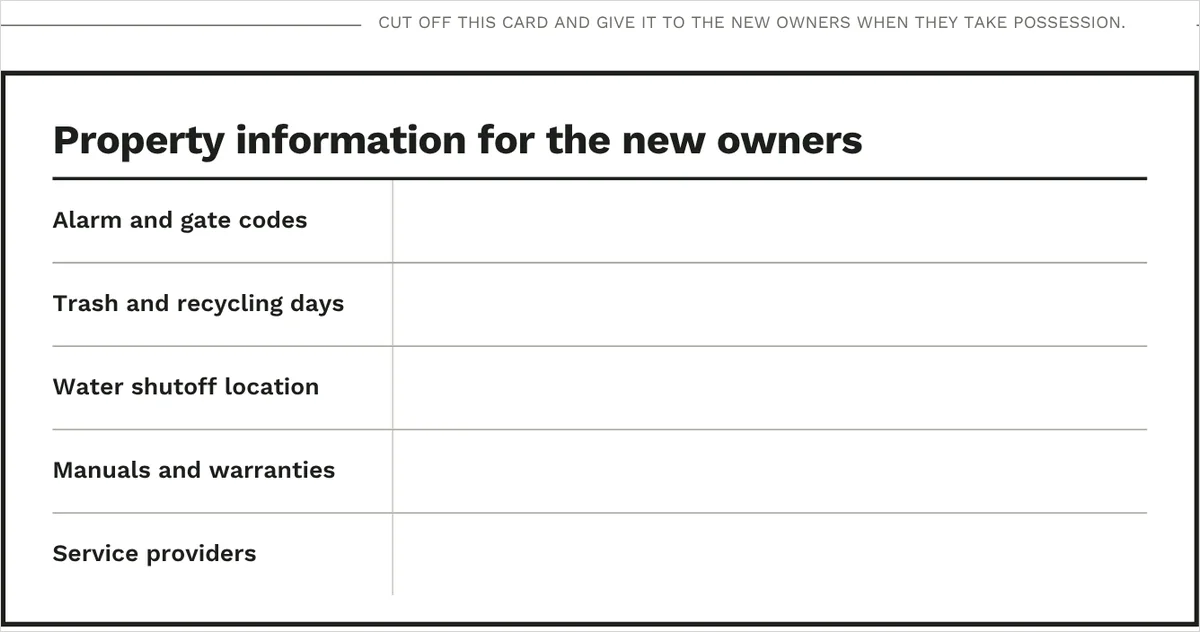
Cut off the Moving out page. Your seller fills it in and hands it over at possession.
Best for listing agents without a coordinated seller set
If your seller instructions live in old emails, one long prep list and last-minute texts, this gives you a page per stage and a clear moment to send each one.
A good fit if you:
- want one set you send on every listing instead of rewriting instructions each time
- work with sellers who need the showing routine written down rather than explained once
- want the contract dates somewhere your seller can see them, in their own copy
- already have your own checklists — the showing reset card, the key-dates page and the new-owner card are the pieces most sets leave out
Not ideal if:
- you want a deadline tracker — the key-dates table is a reference your seller keeps, not a system that watches dates for you
- you need brokerage-specific disclosure or agency language — that comes from your own forms
Fill in the contract dates together
At contract review, you write each deadline from the contract into one table your seller keeps: offer accepted, earnest money, the end of the inspection period, appraisal, financing, the final walkthrough and closing.
Rename any row to match your contracts. Attorney review, a due diligence period, or whatever your own paperwork calls them.
The same page carries a plain warning never to act on emailed payment instructions without confirming them by voice, on a number the seller looked up themselves.
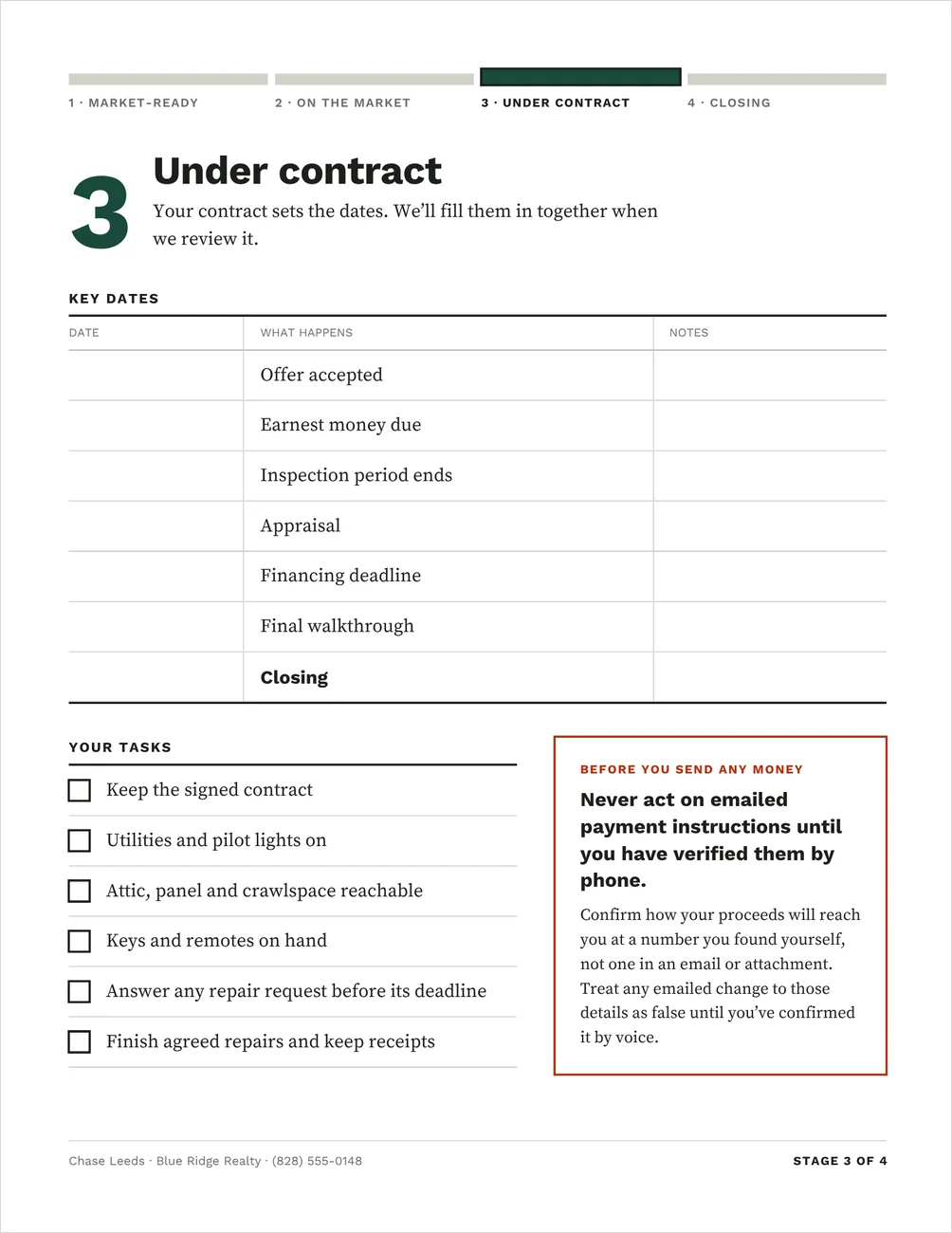
Stage 3 of 4. The table ships blank, to fill in at contract review.
The whole set
A cover with the four stages at a glance and your contact details, then one page per stage. Shown branded; the set downloads in a bright setup colour you replace with your own.
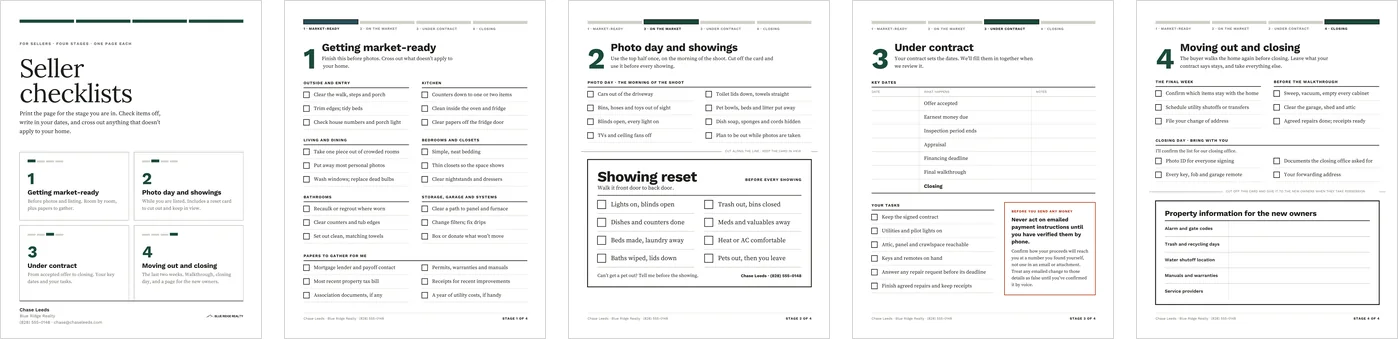
Set it up once, send the same files on every listing
1. Add your details.
Find and replace your name, brokerage, phone and email. They change on every page at once, including the showing reset card.
2. Set the brand colour.
The set ships with a bright setup accent. Change it once and the stage tracker, the stage numbers and the cover all move to your colour.
3. Edit the lines.
Every line is editable, including the key-dates rows, so the set matches your contracts and your market.
4. Save the PDFs.
Download each page and keep the files. Send the page for whichever stage your seller is in.
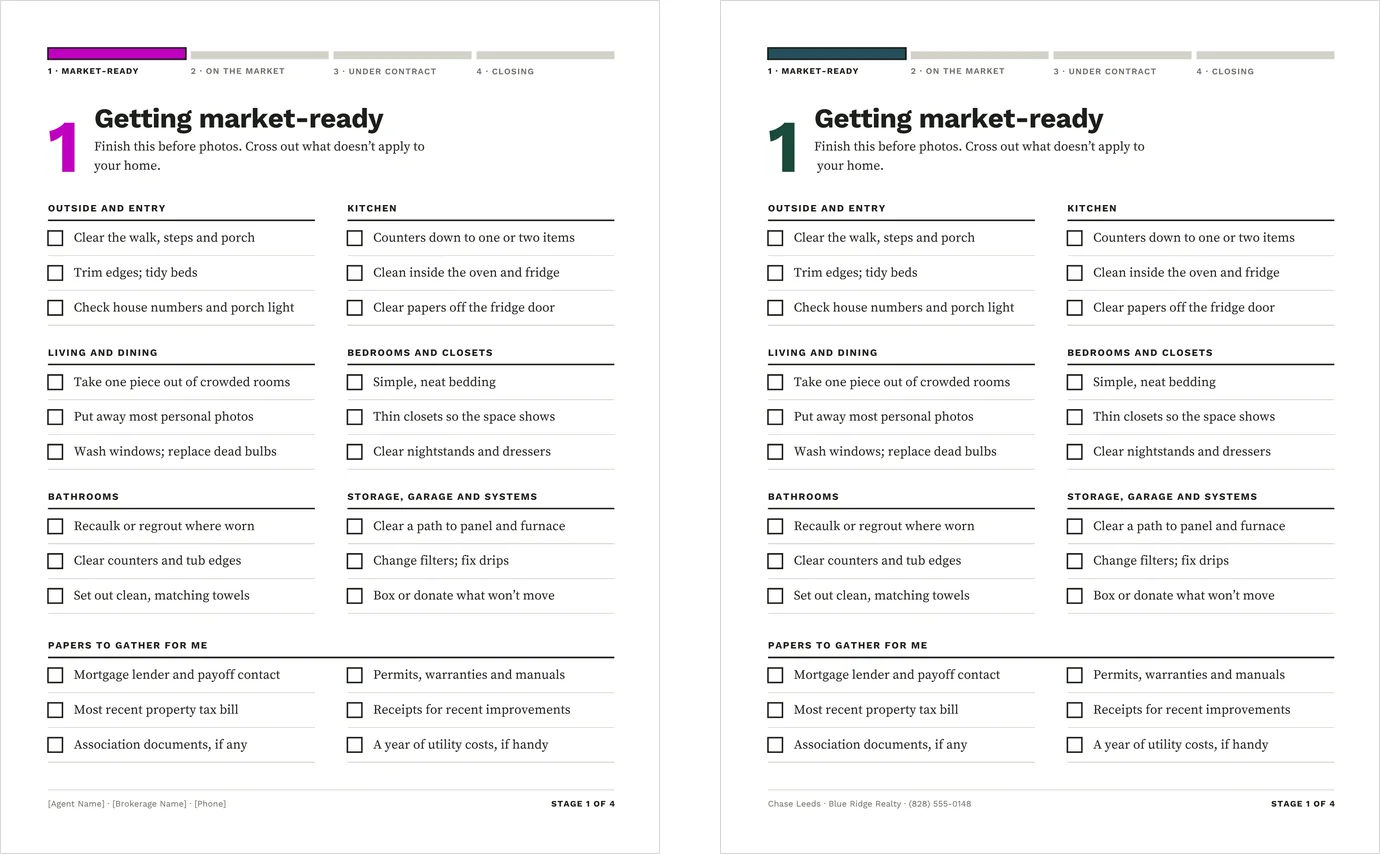
As it downloads, and after the brand colour is set.
A Quick Start Guide comes with the download, covering setup, when to send each page, and printing the cards at the right size.
Canva Free, letter size, printed at home
Five 8.5 × 11 portrait pages that edit on Canva’s free plan. No paid plan, and no fonts or elements that need one.
Print at 100%, or actual size, so both cut-off cards come out at the size they were drawn to cut.
It is a manual template: nothing calculates and nothing fills itself in. It is a digital download, and nothing physical ships.
What to know before you buy
The key-dates table is a reference, not a tracker.
It is the copy your seller keeps. Your transaction management system stays the record, and you copy the dates across at contract review.
Nothing fills in automatically.
You type the dates, the tasks and the property details. There is no calculation and no connection to your contracts or your CRM.
The property card holds sensitive details.
Alarm and gate codes go on a card your seller hands over at possession, not before. Check that this fits your brokerage’s handover practice.
The sample is filled in; your copy is not.
The listing photos and the previews on this page show a worked example. You receive the pages blank and ready to edit, with sample contact details to replace.
Local review.
Contract terminology, disclosure and agency language vary by state and by brokerage. Read the pages against your own forms before you send them.
What this works with
Each is sold separately, and these checklists need neither of them.
Home Seller Guide
The guide explains what happens at each stage of the sale. These checklists are the worksheets for it.
Pre-Listing Packet
Goes out before the listing appointment. The checklists start once the listing agreement is signed.
Common questions
Do I send all five pages at once?
You do not have to. Each page stands on its own, and the cover lists the four stages so your seller knows what is coming. Most agents send one page at a time, at the stage the seller is in.
Can I change the key-dates rows?
Yes. Every row is editable, so you can rename them for attorney review, a due diligence period, or whatever your contracts call them, and add or remove rows.
Do the cards print at the right size?
Print at 100%, or actual size, rather than fit to page. Both cards are drawn to cut off a letter sheet, and scaling the print changes their size.
Do I need Canva Pro?
No. The whole set edits on Canva’s free plan, including the one-pass colour change.
Give your seller the page they need, when they need it
Set it up once in Canva Free, save the PDFs, and send the same set on every listing.