
Editable Canva Template for Real Estate Agents
Pre-Listing Packet for Realtors — Editable Canva Template
Prepare the seller before you arrive.
Send it once the listing appointment is booked. A short questionnaire and a net-proceeds worksheet get the seller thinking through their timing, the home’s condition, an approximate payoff and the questions they want answered, so the meeting starts on their house, the pricing and the plan instead of seller orientation.
$19 · One-time purchase
16-page packet + 2 alternates · Canva Free · US Letter · Instant download
Between booking and the appointment
The seller has already done some of the thinking before you arrive.
01 Appointment booked.
You have the meeting. Now give the seller something useful to do before it.
02 Send one packet.
One reusable PDF, personalized with the seller’s names and the property address.
03 They come prepared.
Timing, property condition, approximate payoff, their questions, and what they want from the meeting.
04 Start further ahead.
Less time on generic orientation. More time for the house, pricing, strategy and decisions.
The packet is the pre-work. Your listing presentation is the meeting.
Inside: the pages they work through before you meet
Pages fourteen, thirteen and sixteen, at a size you can actually read.
Sample pages. The agent, brokerage and every figure shown are demonstration content. The worksheet figures are an illustrative example, not an estimate of what any seller will net.
Three pages that prepare the seller
Most pre-listing material tells the seller about the agent. These give them something to use before you arrive.
The questionnaire
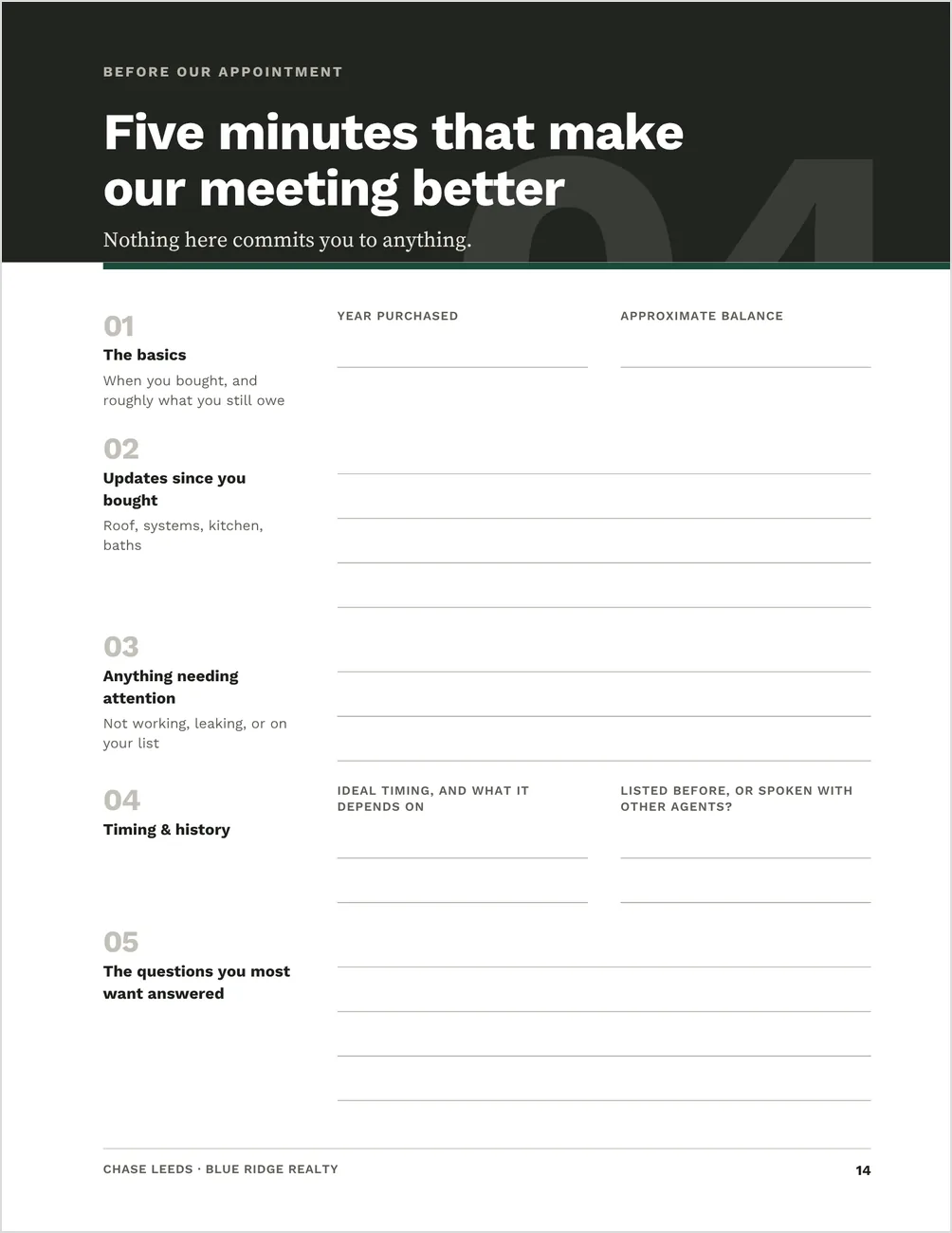
Page fourteen. Timing, updates to the home, anything needing attention, an approximate mortgage balance, past listing history, and the questions they most want answered. Nothing on it commits them to anything.
The net-proceeds worksheet
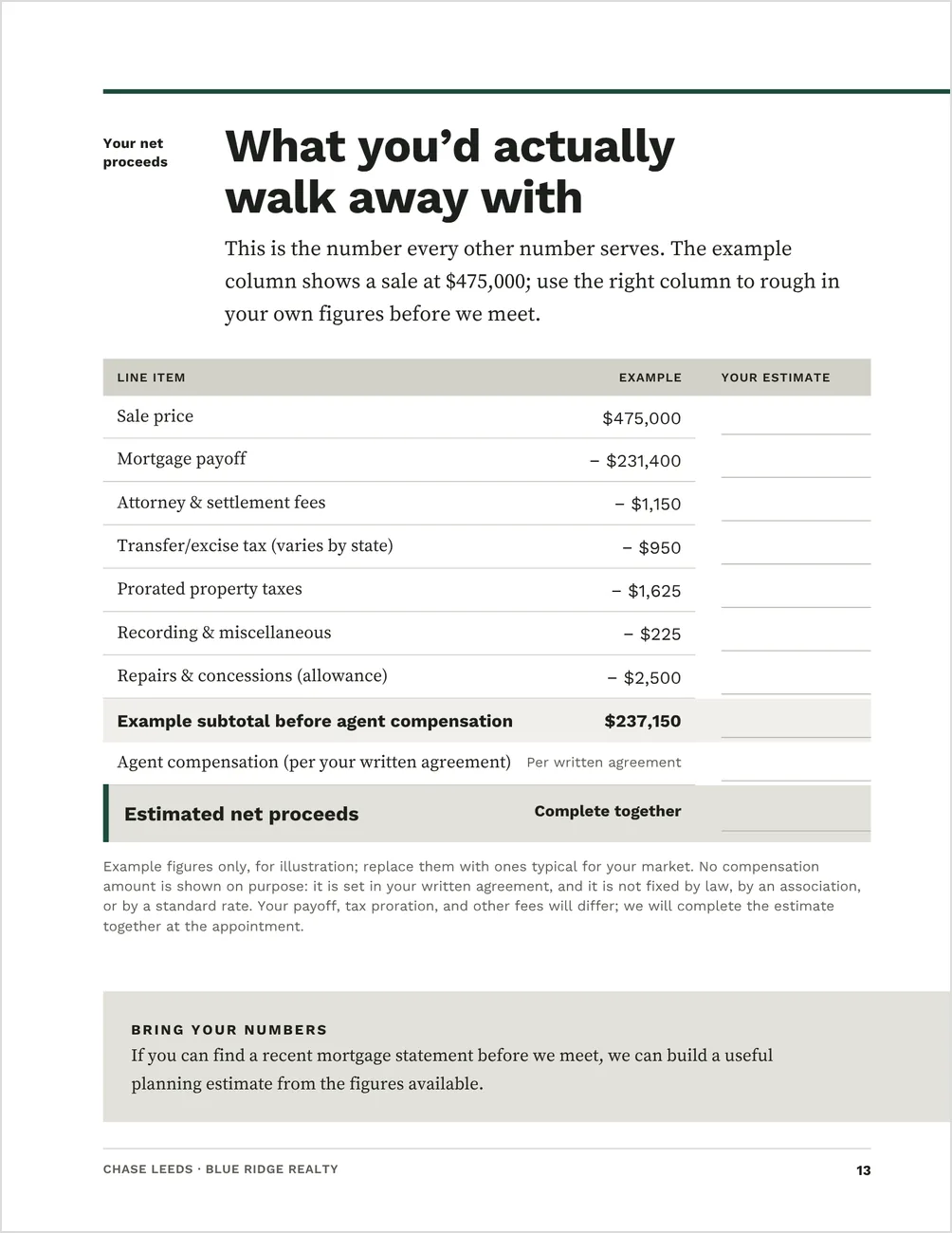
Page thirteen. A worked example of how the common selling costs affect proceeds, with a blank column beside it for the seller’s own figures — a starting point for the real numbers you go through together.
The appointment agenda
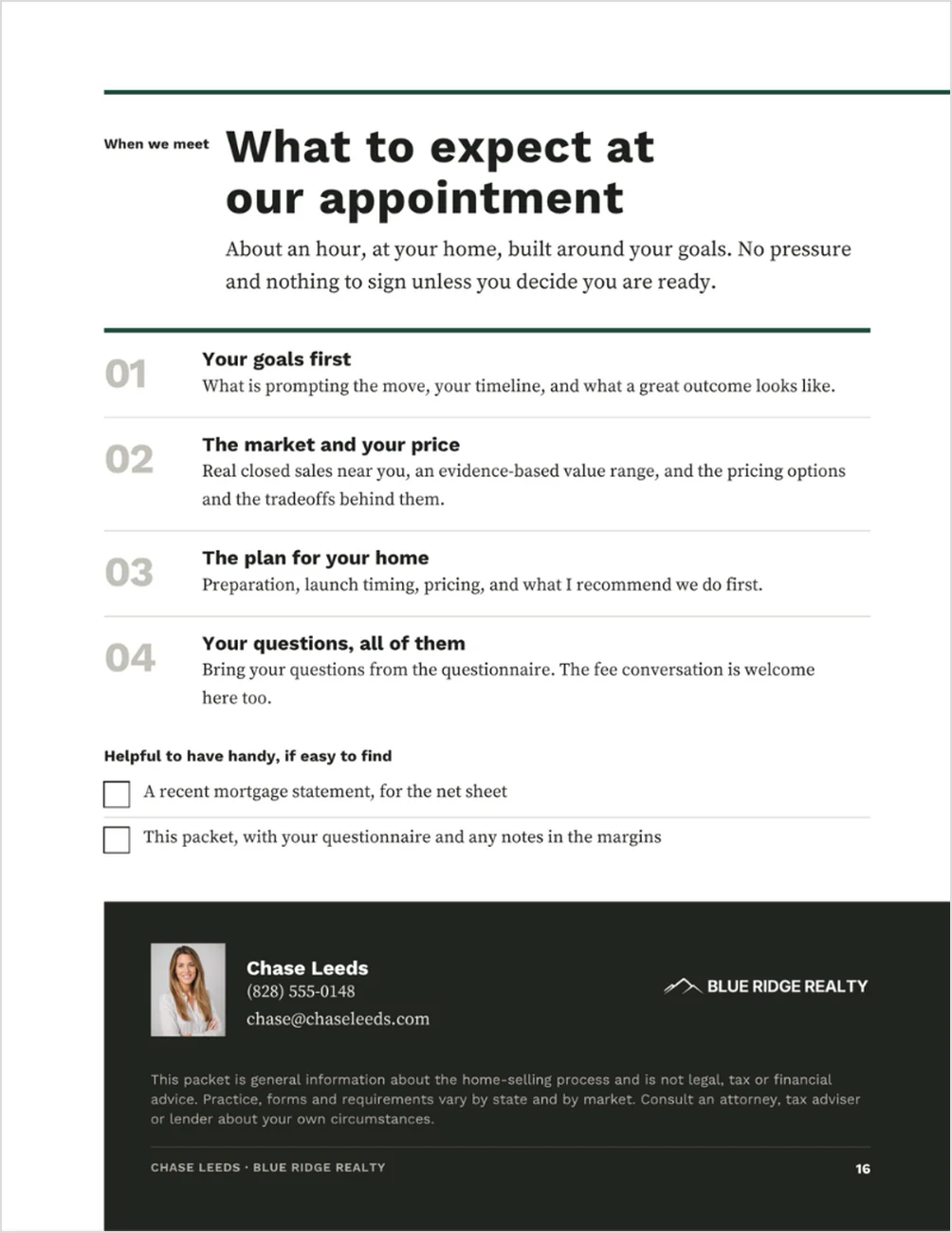
Page sixteen. About an hour, at their home: their goals first, the market and the price, the plan for the home, then their questions, with the fee conversation welcome. It ends with what to have handy: a recent mortgage statement and the packet with their notes.
And the parts most agents explain twice
What selling actually costs.
Page eight. Payoff, compensation, closing costs and preparation, with the reminder that the number that matters is the net.
Six questions for any agent.
Page fifteen. What to ask any agent they interview, each one pointing to the page in the packet where your own answer sits.
Best for listing agents who want the appointment to start past the basics
You would rather the seller arrive already knowing what selling costs and how the process runs, so the meeting opens on their goals and the pricing.
A good fit if you:
- want the seller’s timing, mortgage balance and questions on paper before you sit down
- send something ahead of the appointment and would rather it be useful than promotional
- work with sellers who have not moved in years and need the costs and the process explained
- have no production figures or testimonials yet — each of those pages has a designed alternate
Not ideal if:
- you want a completed net sheet or market analysis — the worksheet is a worked example you replace with your own figures
- you want a different packet built for every seller — you keep one finished master and change the names, the address and anything property-specific
The full packet, in the order a seller reads it
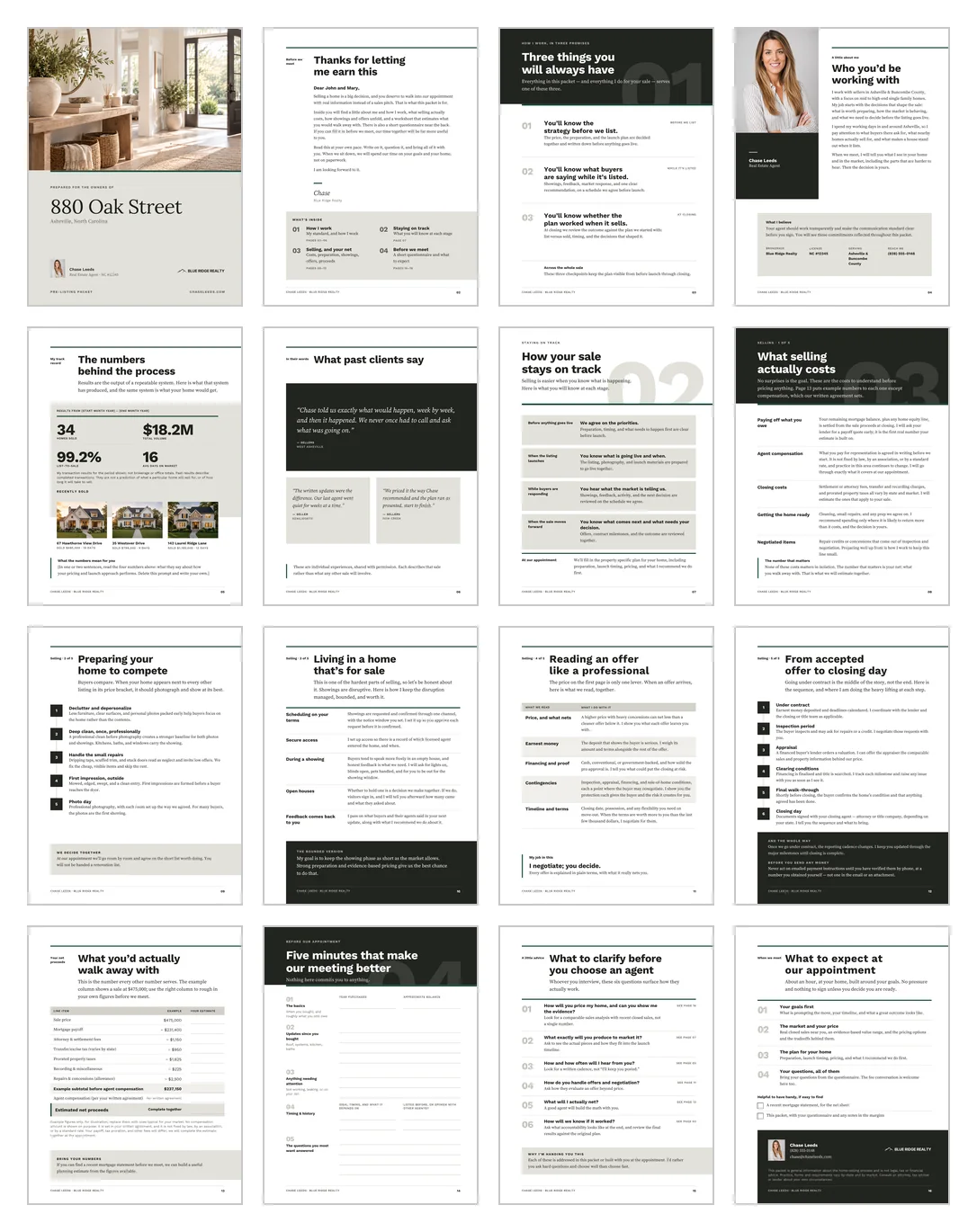
One editable Canva template. The file holds 18 pages, including the two alternates; you export pages 1 to 16 as the finished packet. A Quick Start Guide and your template link come with the download.
Who you are
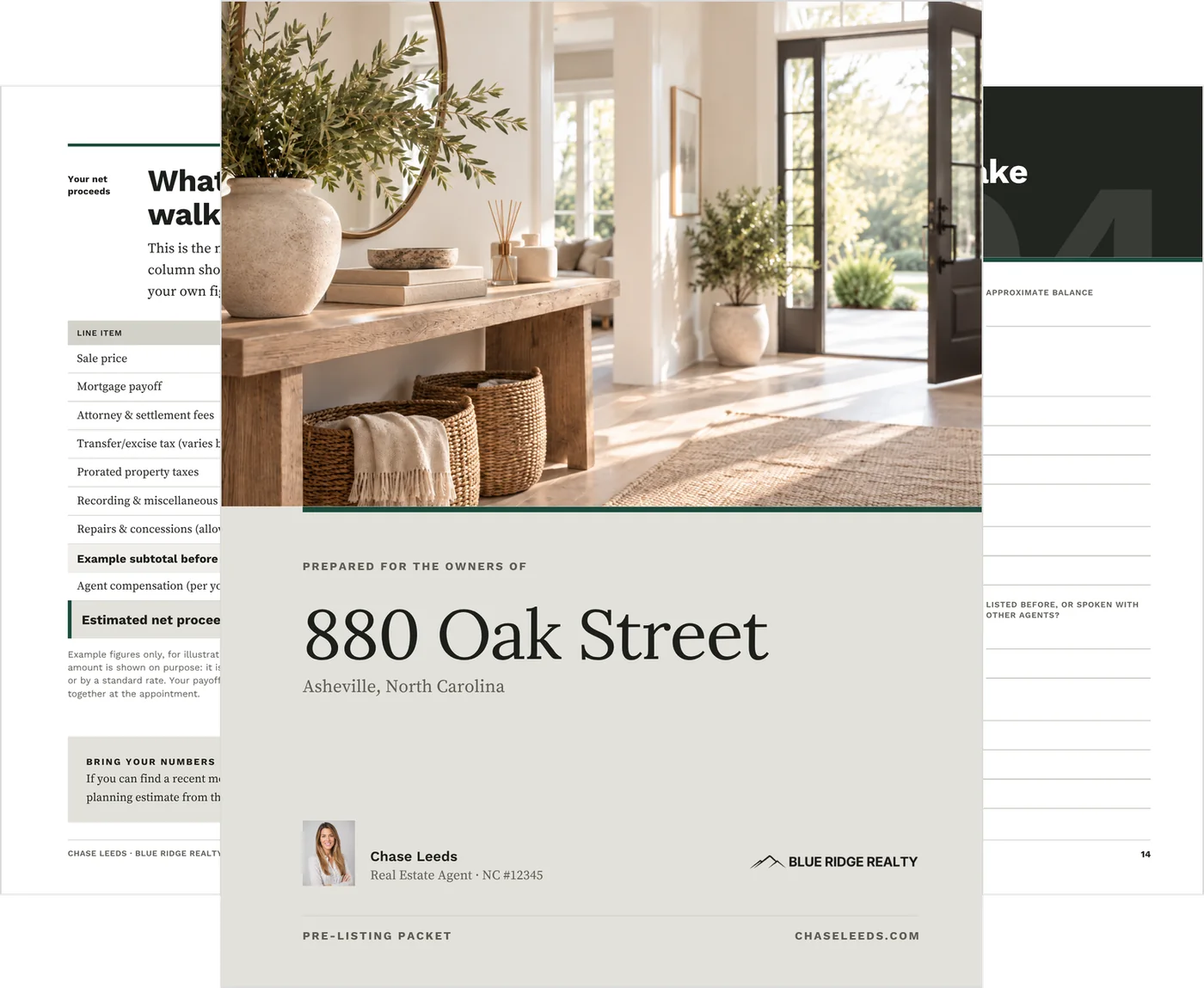
- Personalized property cover
- A welcome letter
- Three things you will always have
- Who you’d be working with
- The numbers behind the process
- What past clients say
What selling involves
- How your sale stays on track
- What selling actually costs
- Preparing your home to compete
- Living in a home that’s for sale
- Reading an offer like a professional
- From accepted offer to closing day
Before you meet
- What you’d actually walk away with: the net-proceeds worksheet
- Five minutes that make our meeting better: the questionnaire
- What to clarify before you choose an agent
- What to expect at our appointment
The structure and starter copy are already written, so you are editing a finished packet instead of drafting one.
See every page before you buy
Every page is designed and written. The bracketed fields and labeled frames are the parts only you can fill in.
Two alternates, for what you don’t have yet
Two pages ship in a second, fully designed version. Use whichever fits your business and delete the other; the finished packet is 16 pages either way.
The track record.
The default uses your production figures and three sold properties. The alternate sets out the standards and the way of working a seller can judge instead.
The testimonials.
The default uses client testimonials. The alternate puts your service commitments in writing, line by line.
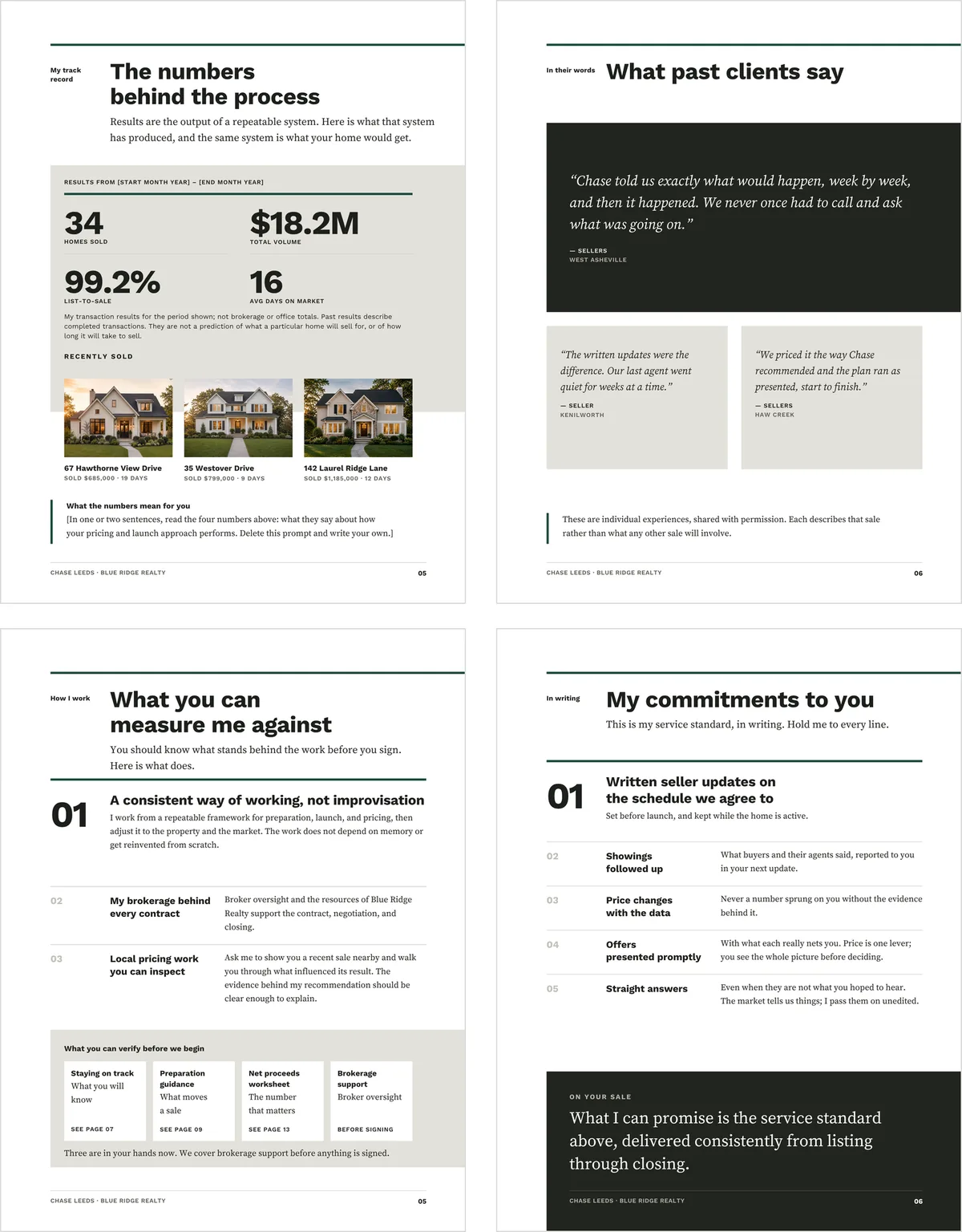
Defaults on top, alternates below.
Set it up once. Then two changes per seller.
After the first setup, each seller takes two changes: their names and the property address. Export pages 1 to 16 and send it.
1. Add your details.
Your name and contact details, brokerage and license, headshot and logo. Bracketed fields make them easy to find, and every photo frame says what belongs in it.
2. Add your market and your proof.
Your market information, production figures, sold-property photos and testimonials — or move in the two alternate pages instead. This first setup is the heavier pass.
3. Set the brand color.
One accent color runs throughout the file. Change that accent once in Canva and the whole packet follows.
4. Review the service language.
Several pages speak in your voice. Read them against how you actually work, and change anything you would not promise.
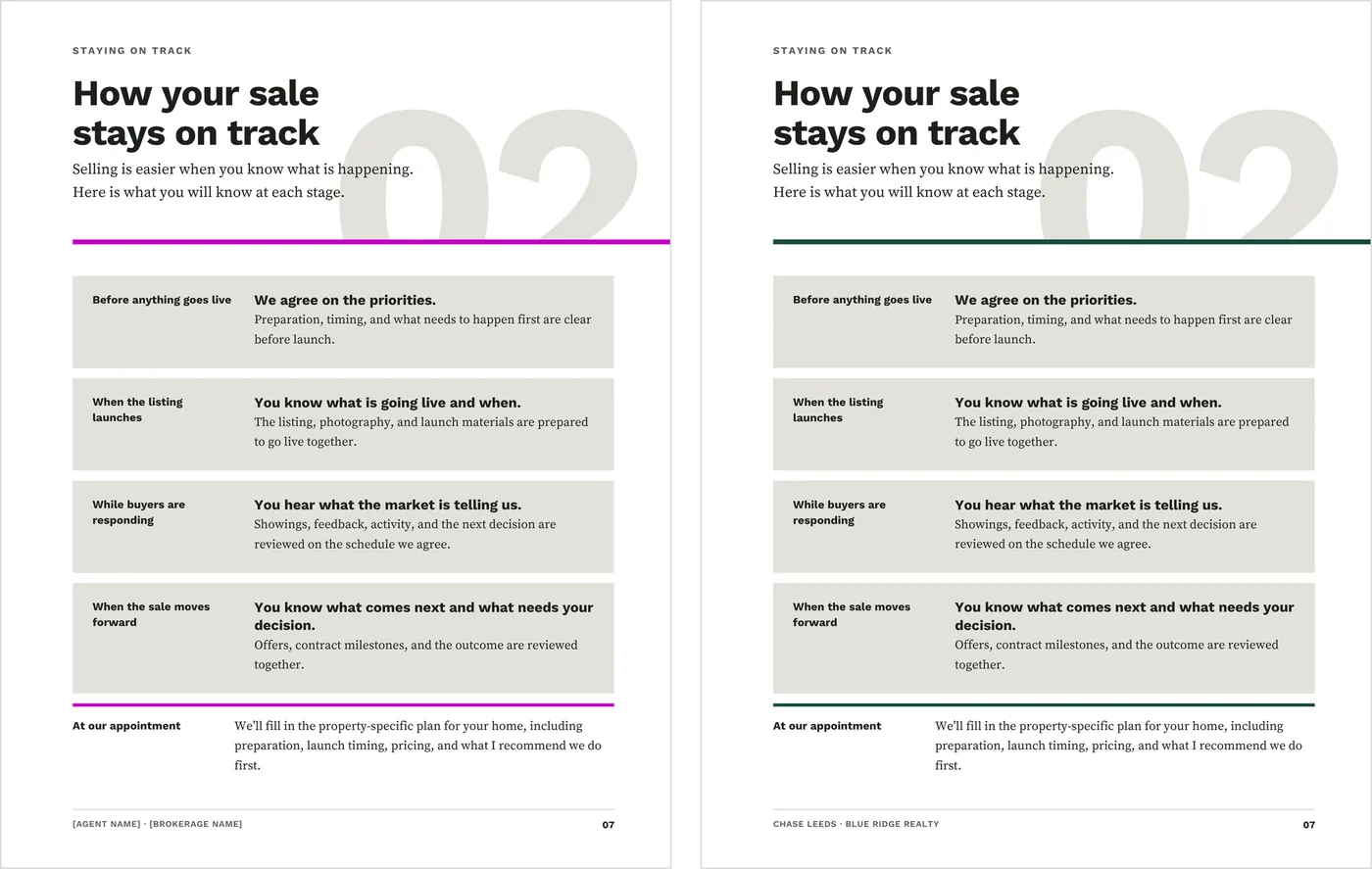
As it downloads, and after the brand color is set.
What to know before you buy
Seller responses stay with the packet. The seller’s answers and figures reach you only if they send them or bring them to the appointment. This isn’t a digital intake form, an automated submission, a CRM workflow or a Google Form.
Everything edits on Canva’s free plan. The packet is 8.5 × 11 portrait, and it exports as a PDF to email or print.
The cover photograph is included and ready to use. No other images come with it: the headshot and sold-property frames are labeled so you know what belongs in each one.
It is a static template: it does not connect to MLS data, a CRM or live data, and it does not include a completed net sheet or market analysis. It is a digital download, and nothing physical ships.
Before you send it to a seller
This is an editable Canva template. It is not legal, tax, financial, brokerage, MLS or market-specific advice.
The net-proceeds worksheet carries illustrative example figures. Review or replace them for your market and your client before the packet goes out.
Several pages use first-person service language. Read them against your own process, your brokerage policies and your local requirements, and change anything you would not personally promise or deliver.
Good to know before you send it
- Replace the sample agent name, brokerage, license number and contact details
- Replace the sample production figures and testimonials, or move in the two alternate pages
- Replace the worksheet’s example figures with numbers that fit your market
- Check anything state-specific against your own forms and your broker’s policy
- Export pages 1 to 16 and read the PDF through before it reaches a seller
At the appointment itself
Present from the Listing Presentation. The packet is the pre-work; the presentation is the meeting. It opens on the seller’s goals, works through the comps and three pricing positions, and ends with the launch position written down together at the table.
Before the appointment is booked: the Home Seller Guide. Once the listing is live: the Seller Reporting System. Each is sold separately, and this packet needs none of them.
Common questions
How many pages does the seller get?
Sixteen. The Canva file holds 18, including the two alternate pages; you export pages 1 to 16 as the finished packet.
Is the worksheet filled in for my market?
No. It ships as a worked example beside a blank column, so you set the figures for your market and your client.
I have no production figures or testimonials yet. Does it still work?
Yes. Move in the two alternates — working standards instead of figures, and written commitments instead of testimonials — and the packet is still 16 complete pages.
Do I need Canva Pro?
No. It edits on Canva’s free plan, including the single change that moves the accent color.
When should I send it?
Once the listing appointment is booked, ideally a few days ahead so the seller has time to fill in the questionnaire. Before an appointment is booked, the Home Seller Guide is the better first send.
Does the seller send the questionnaire back to me?
Only if they choose to. They can fill it in and bring it, send it ahead, or use it to organize their questions. Nothing on it commits them to anything, and nothing submits automatically.
Is a pre-listing packet the same as a pre-listing package?
Yes. Agents use both names for what goes to a seller before the listing appointment.
Start the appointment a step ahead
Send it once the appointment is booked, and the seller arrives having thought through their timing, the house, the payoff and their questions.