
Editable Canva Template for Real Estate Agents
Home Seller Guide for Realtors
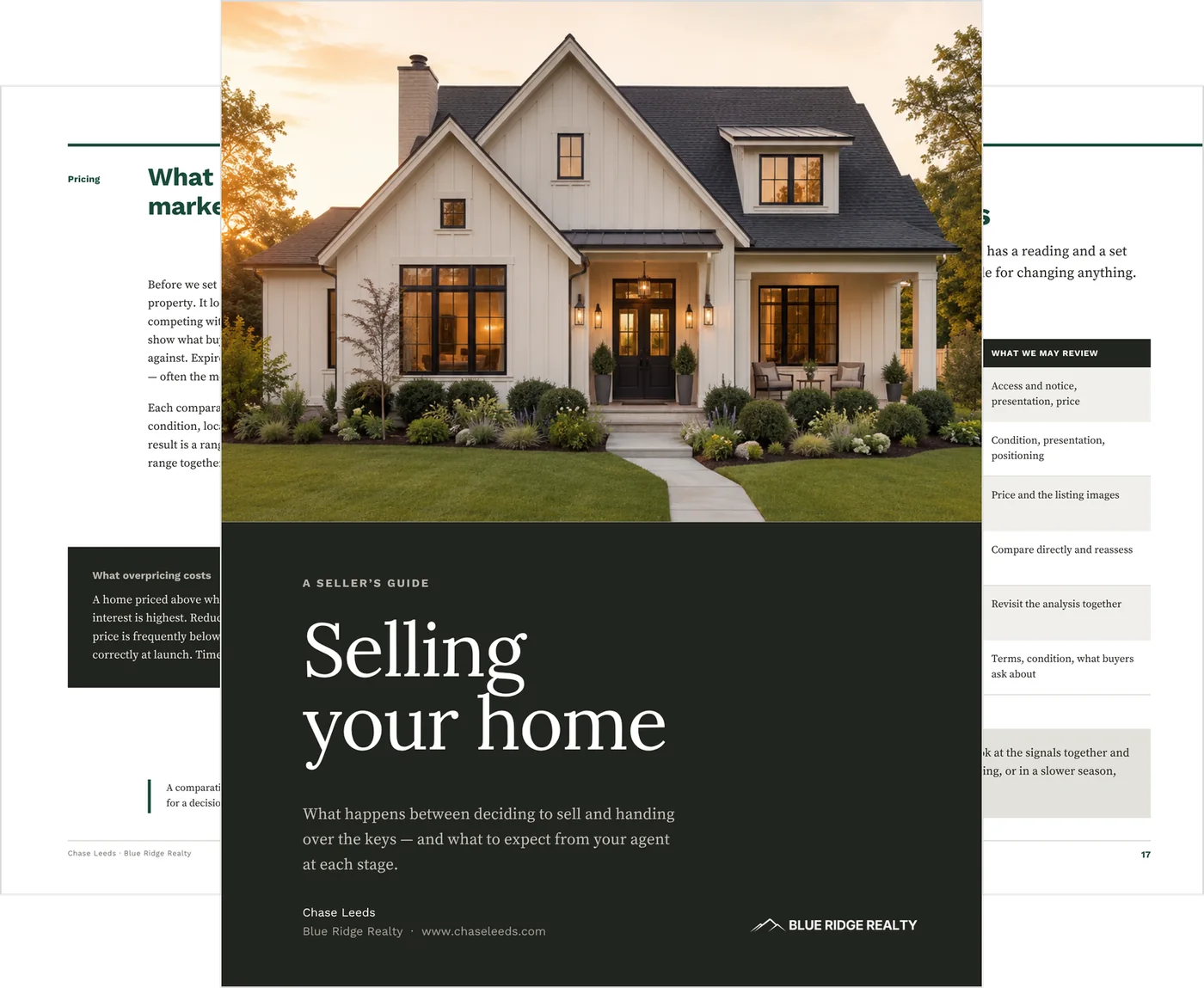
Give a seller lead something useful before they decide who to meet with.
Set it up once, keep the finished PDF ready, and send it when a seller reaches out. It answers what sellers ask first (pricing, how compensation works, what they’ll take home, showings, offers and closing) in plain language, branded to you, before the listing appointment is on the calendar.
$25 · One-time purchase
26 pages · Canva Free · US Letter · Instant download
How it fits your week
Send something useful before the appointment is booked.
01 A seller asks how compensation works.
The question that used to need a phone call and a carefully worded answer.
02 You reply and attach the guide.
Nothing to edit. The compensation page answers the question in full.
03 They read the framework before you talk.
The first conversation can start further ahead.
04 Every time after.
They arrive with the basics already covered. No rebuild, no per-listing version, no wondering which copy was current.
Inside: compensation, net proceeds and market response
Three of the pages sellers ask about first, at a size you can actually read.
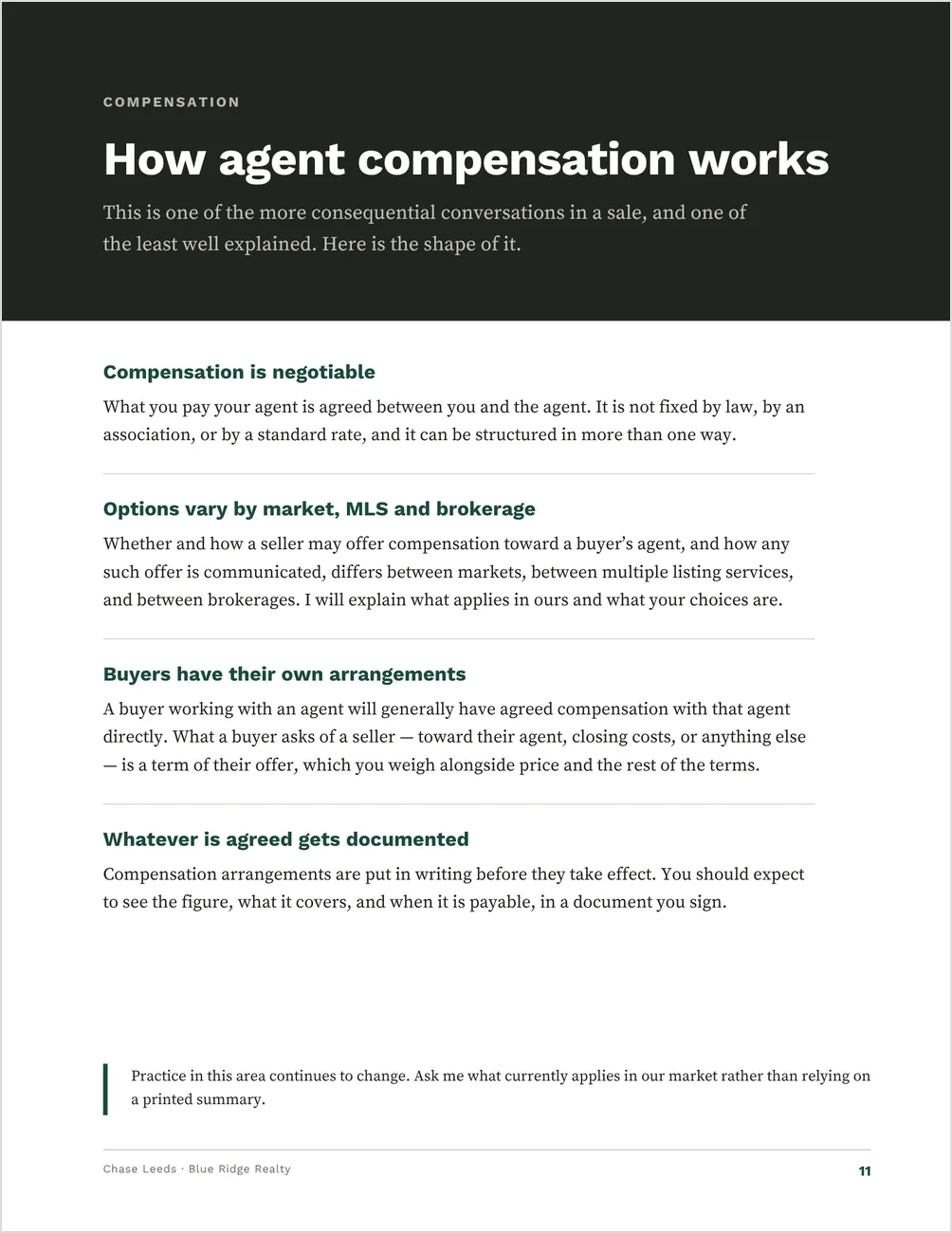
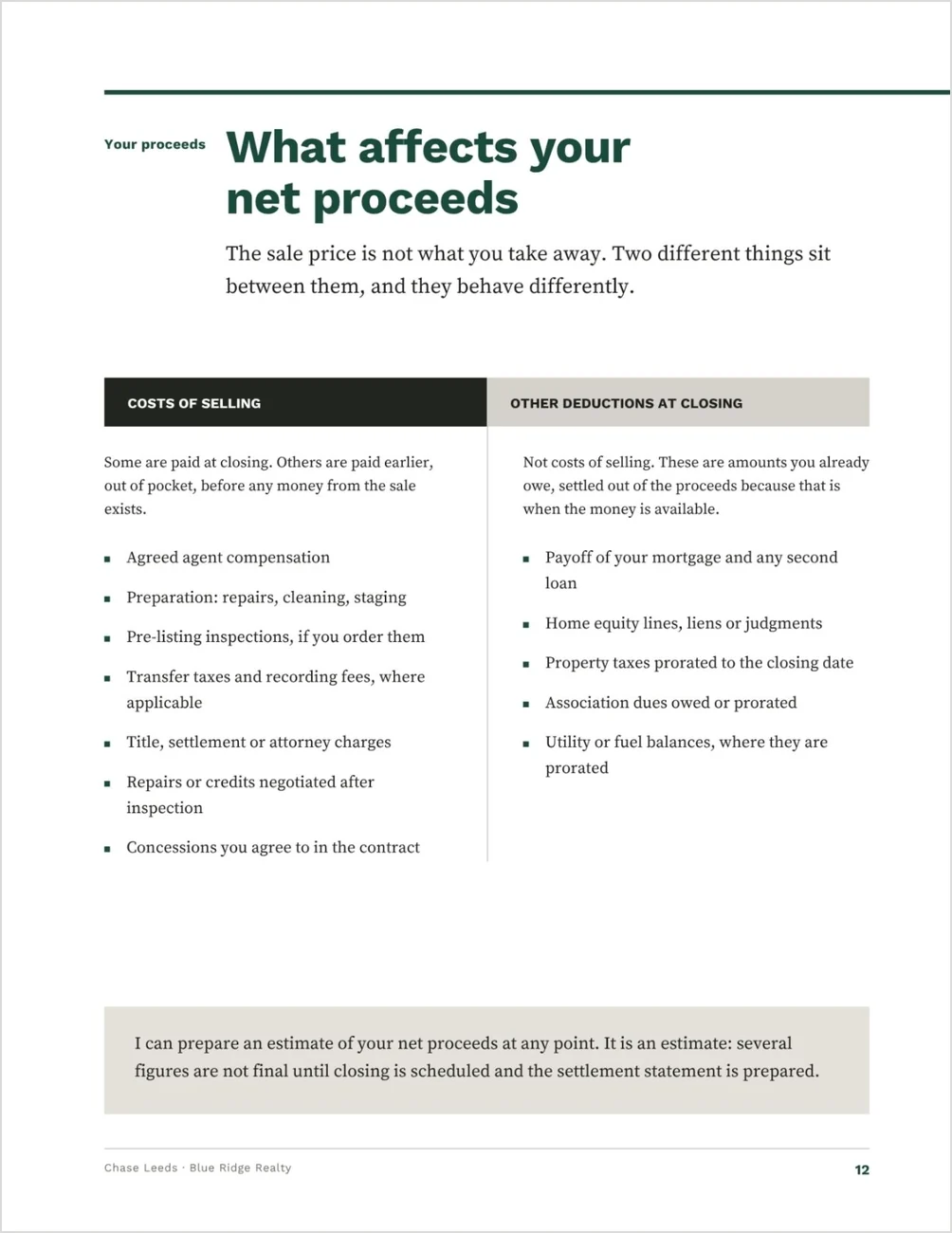
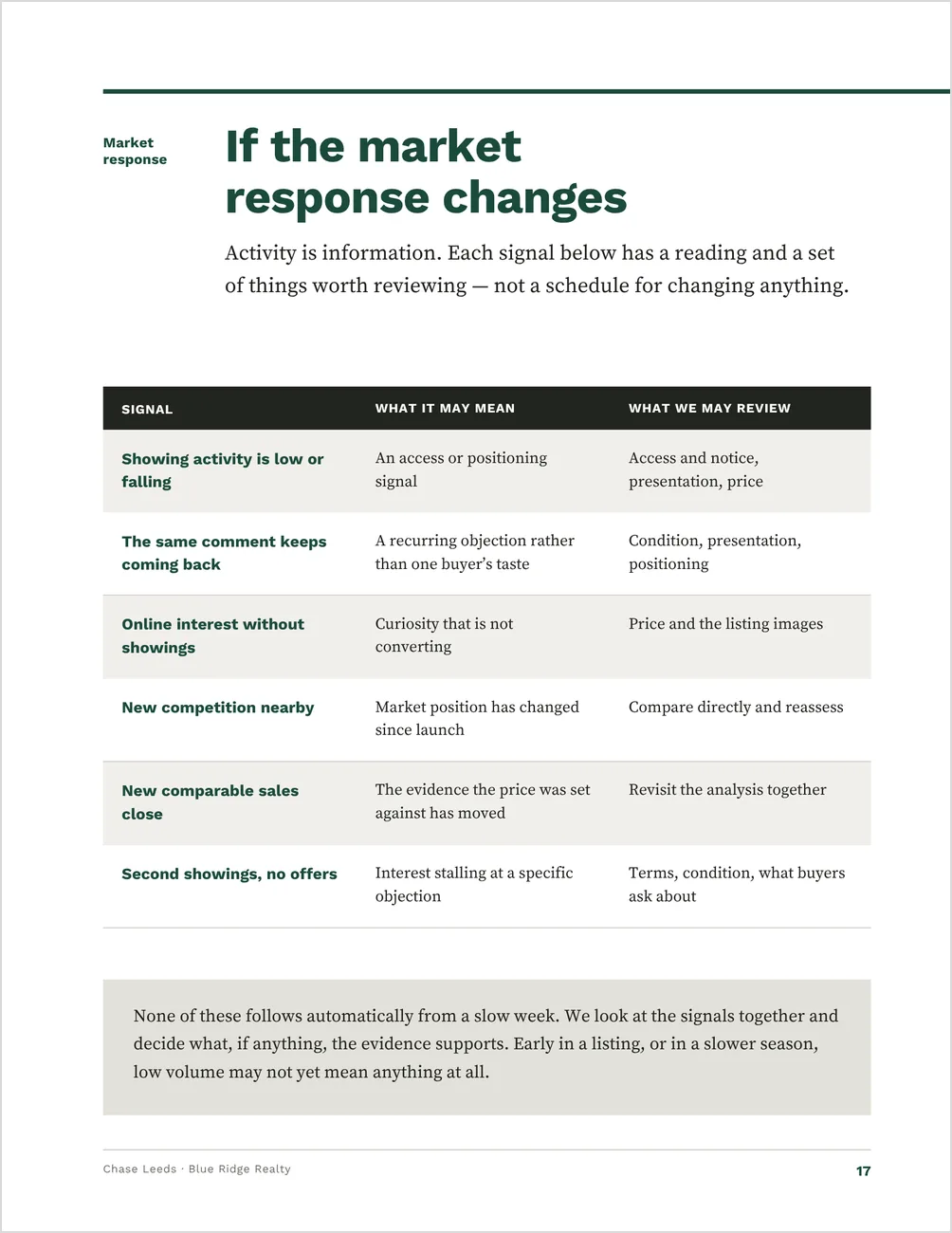
Pages from the guide, shown set up with sample details. The track-record figures, testimonial and contact details are placeholder content you replace with your own. The template ships in a bright magenta, so anything you have missed is obvious while you set your own color.
The pages that carry the harder seller conversations
A generic seller packet pulled off the web is usually vague on pricing, silent on how compensation actually works now, and obviously not yours. These are the pages that carry the hardest conversations.
Compensation
Written for the conversation sellers have been asking about since the 2024 practice changes: that fees are negotiable, that they vary by market and brokerage, and how buyer-agent compensation reaches a seller as a term of an offer rather than as a fixed cost.
Net proceeds
Costs of selling on one side, amounts already owed at closing on the other, so a seller sees why the sale price isn’t what they take home. It structures the conversation; it isn’t an estimate.
Market response
Low showings, the same objection twice, new competition, second showings with no offer. It frames the price-reduction discussion before you need to have it, which is the only time that conversation is easy.
A wire-fraud warning, placed where it matters
Verifying instructions independently before any funds move, and again to confirm they arrived. A full page, in the guide the client actually keeps.
Enough on paper to establish your competence before the listing appointment.
Guide or packet?
Before the appointment is booked: this guide.
It teaches the process and establishes your value. It’s generic on purpose: no address, no seller name, one export for every lead.
After it’s booked: the Pre-Listing Packet.
It gets the seller working through their own timing, condition, payoff and questions before you arrive. View the Pre-Listing Packet →
Best for listing agents who send it the moment a seller reaches out
You want something professional to send the moment a seller reaches out, and you would rather set a guide up once than assemble one per appointment.
Best for
- run listing appointments and want the same explanation in the seller’s hands first
- are newly licensed and building seller materials from nothing
- are established and updating a set that predates the current compensation conversation
Not ideal for
- Agents who want a guide customized to each property — this one is generic on purpose, with no address, seller name or property fields
- Anyone who needs A4. US Letter only
From pricing to closing day, page by page
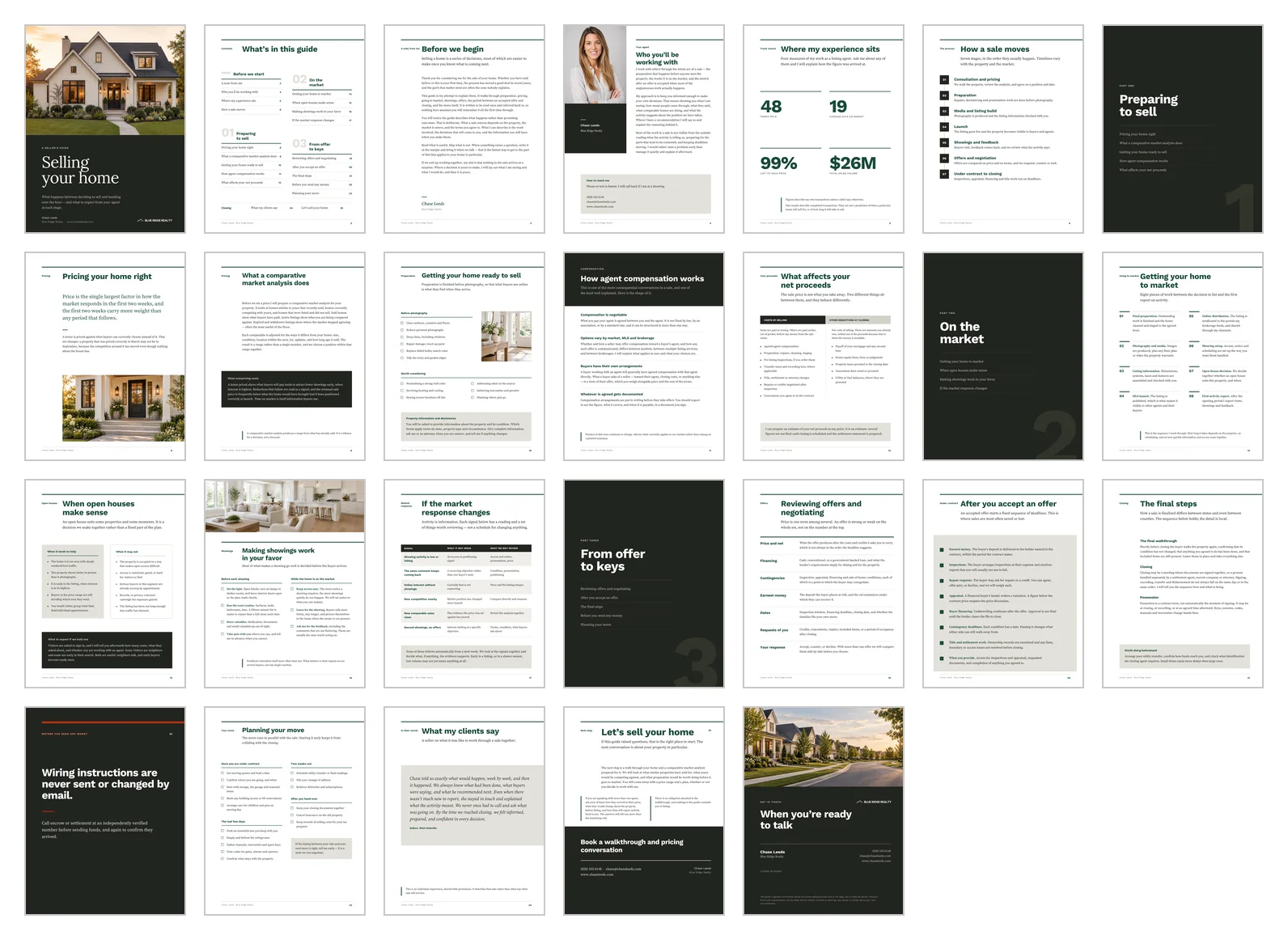
One editable Canva template — 26 pages, 8.5 × 11 in (US Letter), print-ready. It carries no address, seller name or property fields, so one export works for every seller you talk to.
Preparing to sell
- Pricing, and why the first two weeks carry the most weight
- What a comparative market analysis does, and what overpricing costs
- Getting the home ready, with a note on disclosures
- How agent compensation works
- What affects net proceeds
On the market
- An eight-step going-to-market sequence
- When open houses make sense
- Making showings work in your favor
- Reading the market response when it changes
From offer to keys
- Reviewing offers and negotiating
- The deadline sequence after an accepted offer
- The final steps to closing
- Wire fraud
- A four-stage moving checklist
Around those: a welcome letter in your voice, your agent page, a track-record page for four of your own figures, a client testimonial page, and a closing call to action. A Quick Start guide and your Canva template link come with the download.
See every page before you buy
Every page is designed and written. Nothing is a blank frame you have to fill in.
Setup is find-and-replace, one headshot and one color
1. Add your details.
Find-and-replace your name, brokerage and contact details across all 26 pages, then drop in your headshot.
2. Add your proof.
Fill in your four track-record figures and your client testimonial, or remove the testimonial page.
3. Change the brand color.
It ships in a bright magenta so anything you miss is obvious. Canva treats text and shapes separately, so run the change twice.
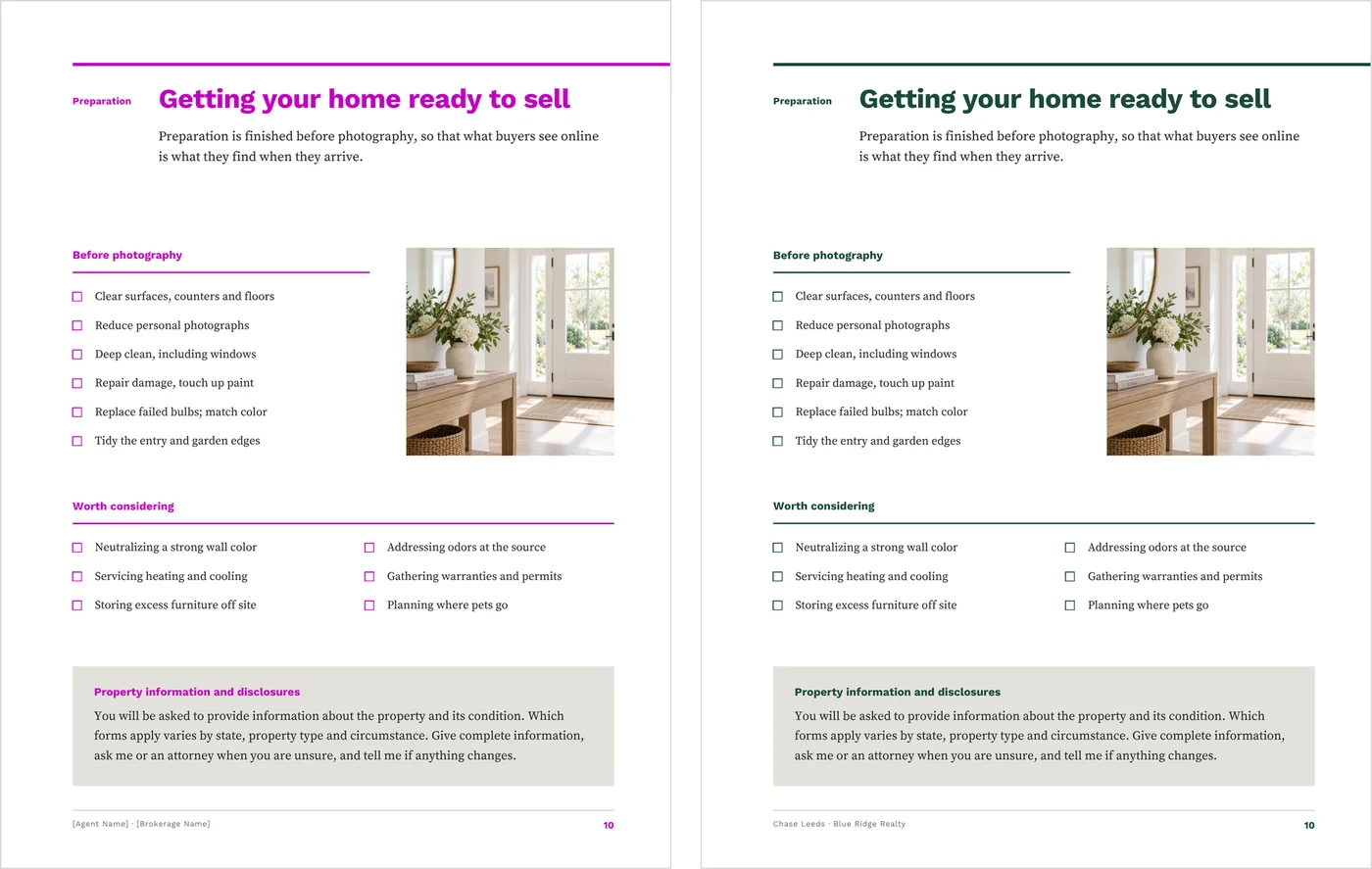
As it downloads, and after the brand color is set.
Then keep the finished PDF ready and send it when the next seller reaches out. Print copies if you hand it over in person. You are adding your details and your numbers, not writing a seller guide.
What to know before you buy
A reusable educational PDF, not a property-specific packet. Review the representation, compensation, cost and brokerage language periodically for your local requirements and current practice.
Everything edits on Canva’s free plan. The body text is serif and every font is included. A headshot is the only image you have to swap; the sample photos are AI-generated, so keep them or replace them.
It is US Letter (8.5 × 11 in), print-ready. Export a PDF to email, or print at home, at the office or at a print shop — exports carry crop marks and 3mm bleed, and because they are RGB, a shop converting to CMYK will shift deep charcoals and saturated brand colors slightly.
It is a static template: it does not connect to MLS data, a CRM, CMA software, e-signature tools or social accounts. It is a digital download, and nothing physical ships.
Before this goes to a seller
This is an editable Canva template for general client education. It is not legal, financial, tax or pricing advice, and it has not been reviewed for compliance in any jurisdiction.
Compensation is negotiable, and the guide says so without naming a standard, typical or customary figure. Do not add one. The net proceeds page structures the conversation; it is not an estimate of what any seller will net.
Good to know before you send it
- Replace the sample agent name, brokerage, contact details and license number
- Replace the four sample track-record figures and the sample testimonial
- Read the compensation page against your state, MLS and brokerage requirements
- Use the official forms and approved language for your area
- Export the finished PDF and read it through before it goes to a client
Once the appointment is booked
Send the Pre-Listing Packet next. This guide establishes your value before a seller has chosen who to meet with. Once the appointment is on the calendar, the packet gets them working through their own situation — timing, the condition of the home, an approximate payoff and their questions — so the meeting starts further ahead.
Working the buyer side too?
The Home Buyer Guide is set in the same layout and typography. Get both guides together for $39 (separately $50).
Each is sold separately, and this guide needs none of them.
Common questions
Is it current with the 2024 NAR practice changes?
The compensation page is written for the conversation sellers have been asking about since: that fees are negotiable, that options vary by market, MLS and brokerage, and how buyer-agent compensation reaches a seller as a term of an offer. It names no standard, typical or customary figure, and it tells the seller that practice keeps changing and to ask what currently applies. Confirm your own state and brokerage requirements before you send it.
Do I rebuild it for every listing?
No. It carries no address, seller name or property fields, so one export works for every seller you talk to. Set it up once and send the same file.
Do I need Canva Pro?
No. It edits on Canva’s free plan, and every font it uses is included.
When do I send it, and when do I send the Pre-Listing Packet?
The guide when a seller first reaches out, before an appointment is booked. The packet once the appointment is on the calendar.
Keep a seller guide ready for the next listing lead
Set it up once, then send the same guide whenever a seller reaches out.