
Editable Canva Template for Real Estate Agents
Open House Kit for Realtors — Fifteen Matching Pages, Driveway to Exit
Every sign and handout in one design, reused every weekend.
If your setup is a listing flyer, a clipboard and whatever signs you printed last time, this replaces it with one coordinated set: directional arrows, a parking sign, a welcome sign, QR and paper sign-in, a feature sheet, a feedback sign and a prep checklist, all carrying your name, brokerage and brand color.
Edit one Canva design, print the pages you need, and reuse it at the next open house. Two copy-ready Google Forms handle QR sign-in and feedback.
$16 · Fifteen pages, two Google Forms
15 pages · 8.5 × 11 · Canva Free + 2 Google Forms · Instant download
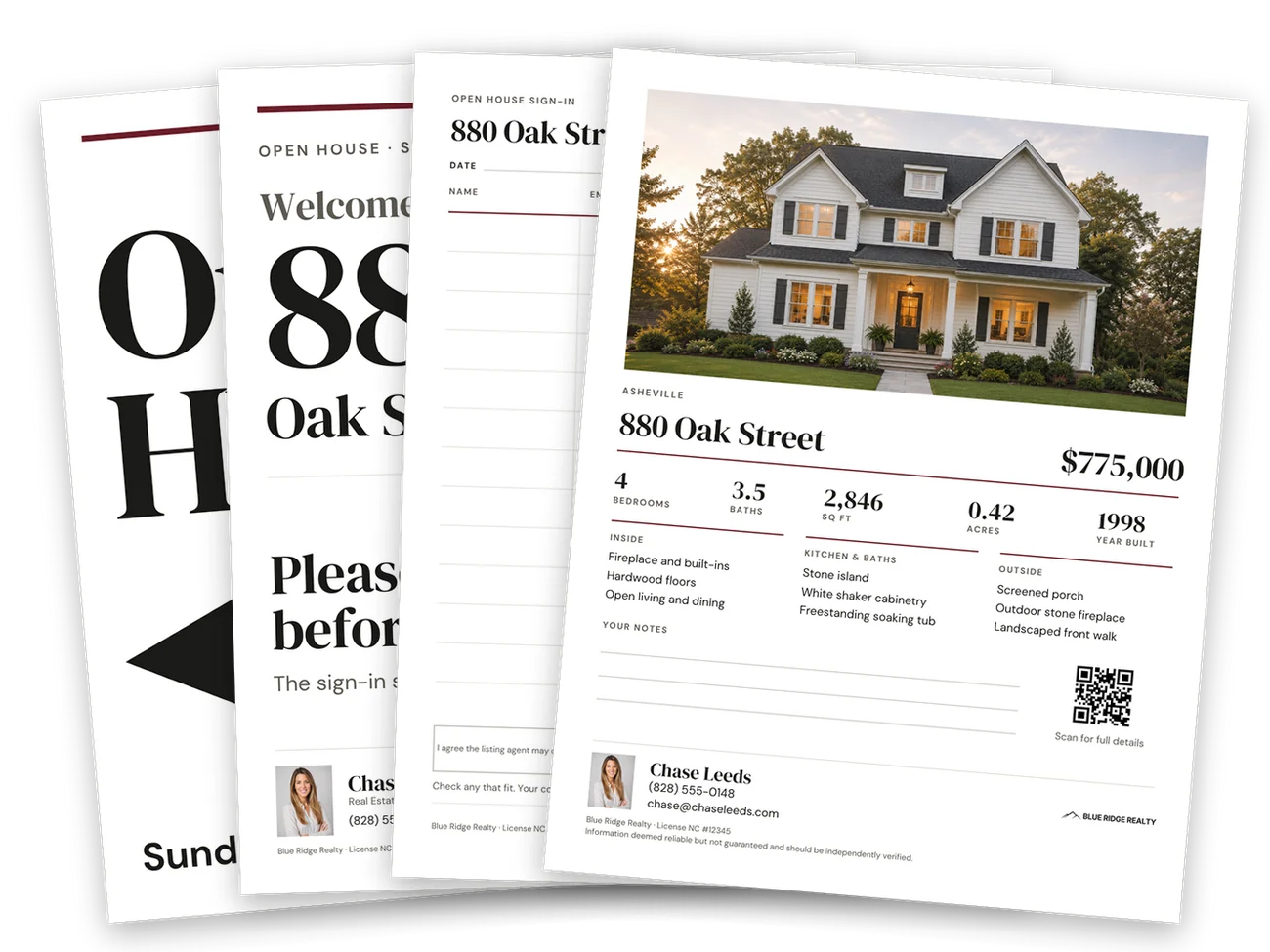
Every piece has a place between the driveway and the exit
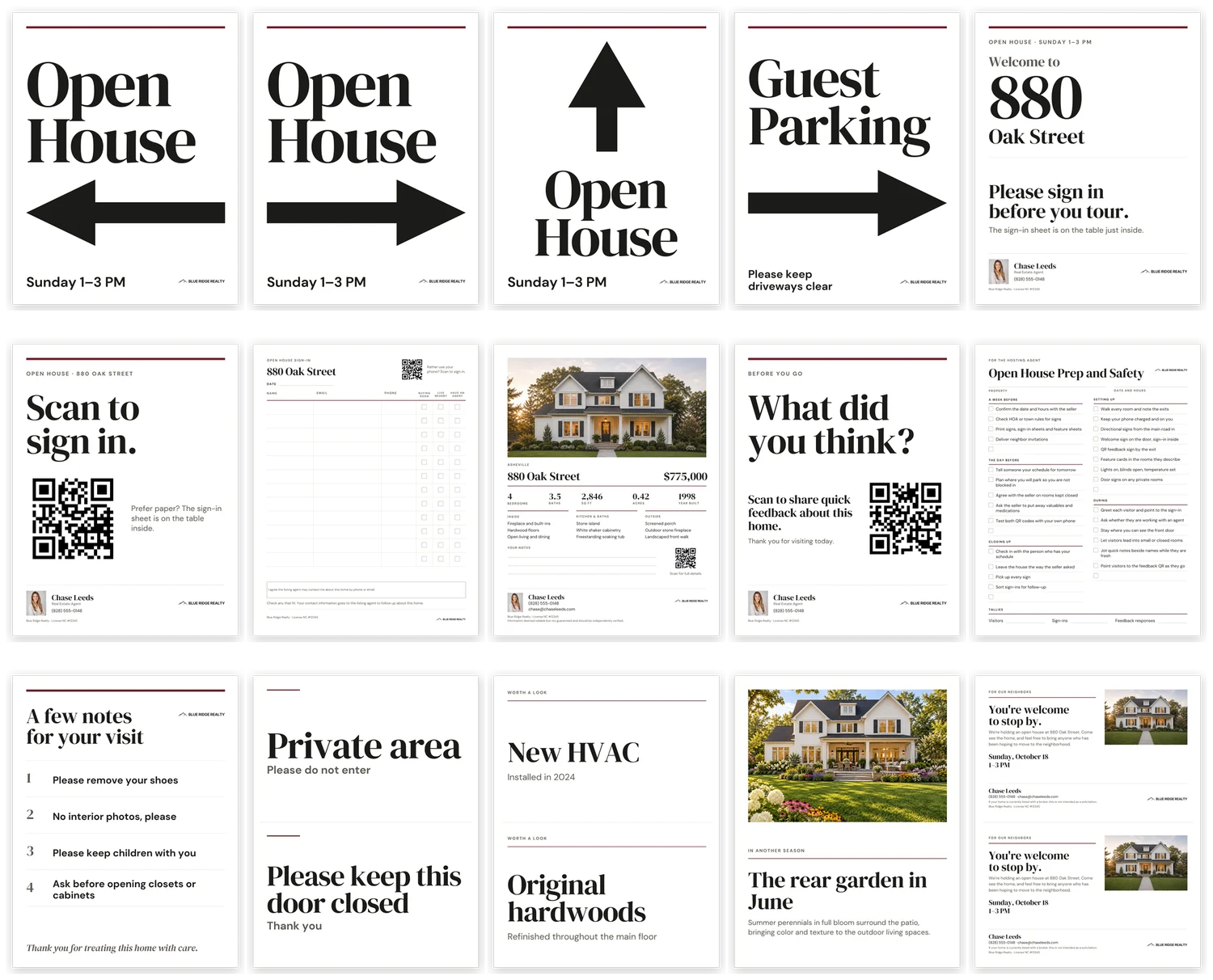
Visitors meet the kit in the order they arrive. Ten pages go to every open house, and five more come out when the listing calls for them.
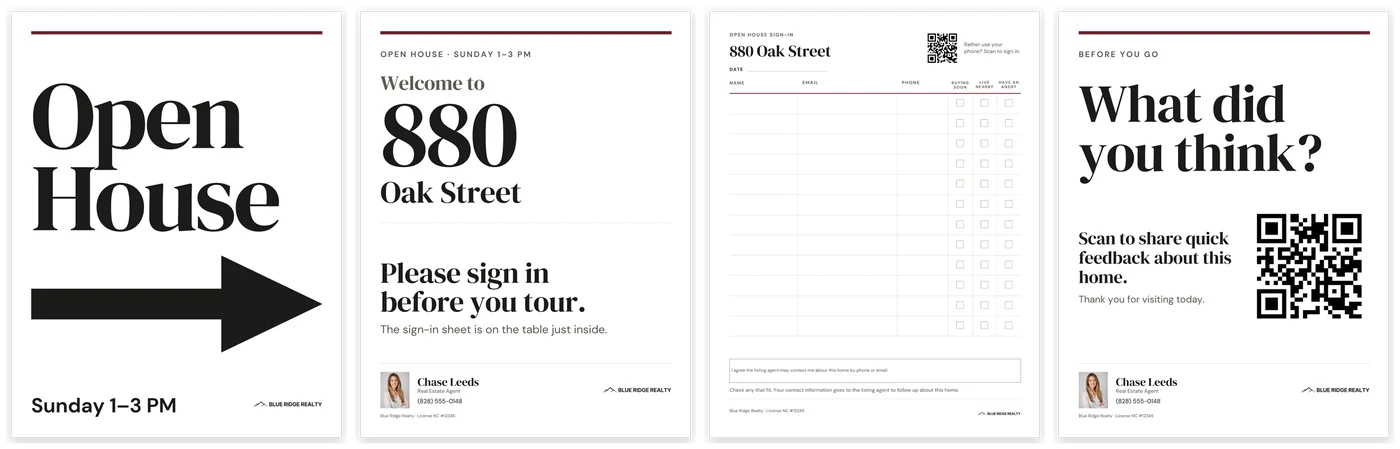
On the way in
Directional arrows, left, right and straight ahead, and a guest parking sign with an arrow, take visitors from the road to the door.
At the door
The welcome sign carries the house or unit number large, with “Please sign in before you tour.”
At the table
A QR sign-in sign, a paper sign-in sheet and the property feature sheet. The QR sign points to the paper sheet for anyone who prefers it.
On the way out
A QR feedback sign for the exit, so visitors can tell you what they thought before they leave.
For you, there is a one-page Open House Prep and Safety checklist: a week before, the day before, setting up, during and closing up, with a tallies line for visitors, sign-ins and feedback responses.
Scan to sign in, or sign on paper
Some visitors will scan and some will pick up a pen. The QR sign-in sign sends them to a Google Form you copy once, and carries a line pointing to the paper sheet for anyone who prefers it.
The paper sheet has twelve rows, with check boxes for Buying soon, Live nearby and Have an agent, so you can sort visitors as they sign. Under the rows is a box for your brokerage’s consent language.
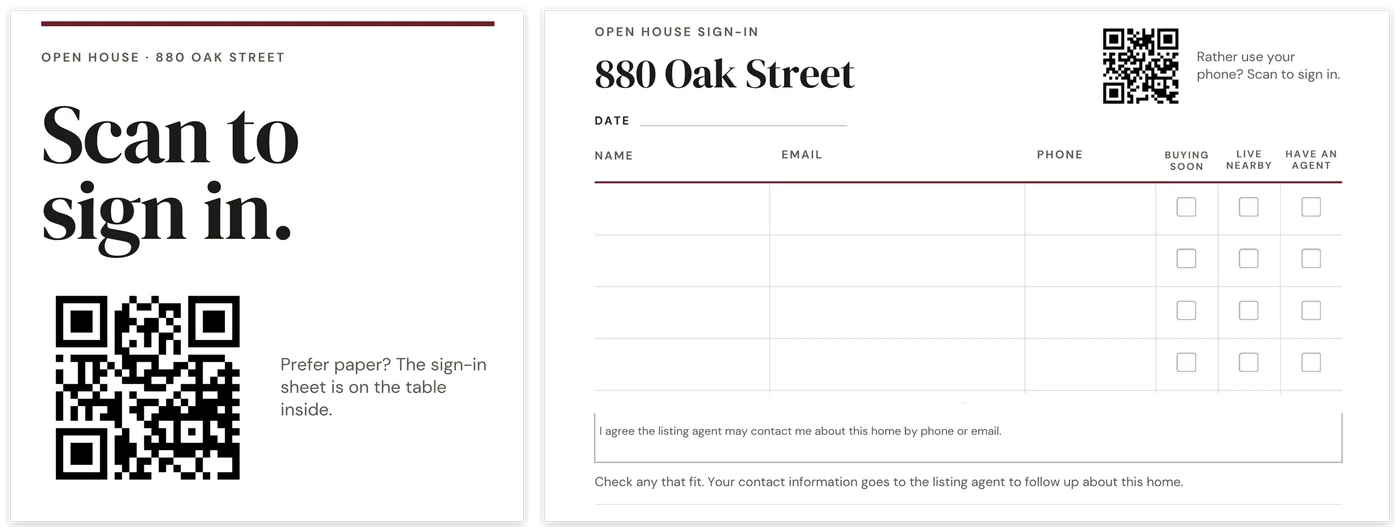
The QR sign-in sign, and the paper sheet with its consent box. Twelve rows in all.
A welcome sign that fits a house number or a unit
The large line on the welcome sign fits up to five characters: a house number like 12457, or a unit like 4B or PH-2. The street address goes on the line below.
Update the address, date and hours with Find and replace and they change on every page at once, so the arrows, the parking sign and the welcome sign always agree.
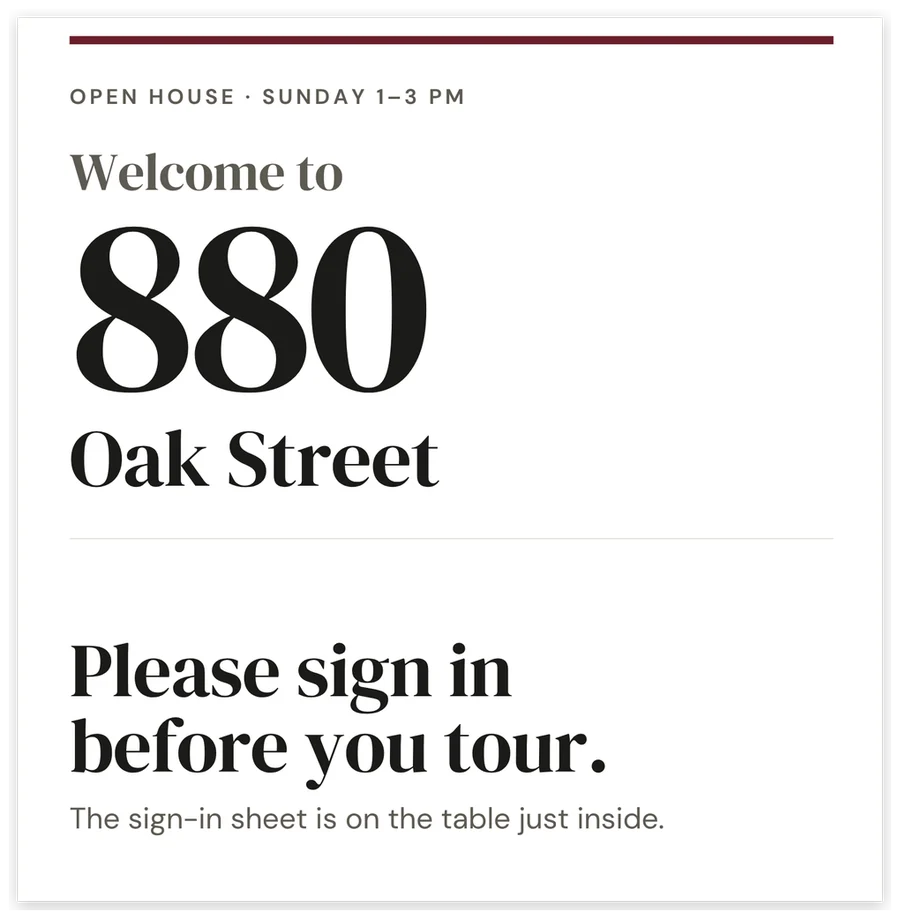
The welcome sign for the front door. The sample address is a placeholder.
A feature sheet visitors take with them
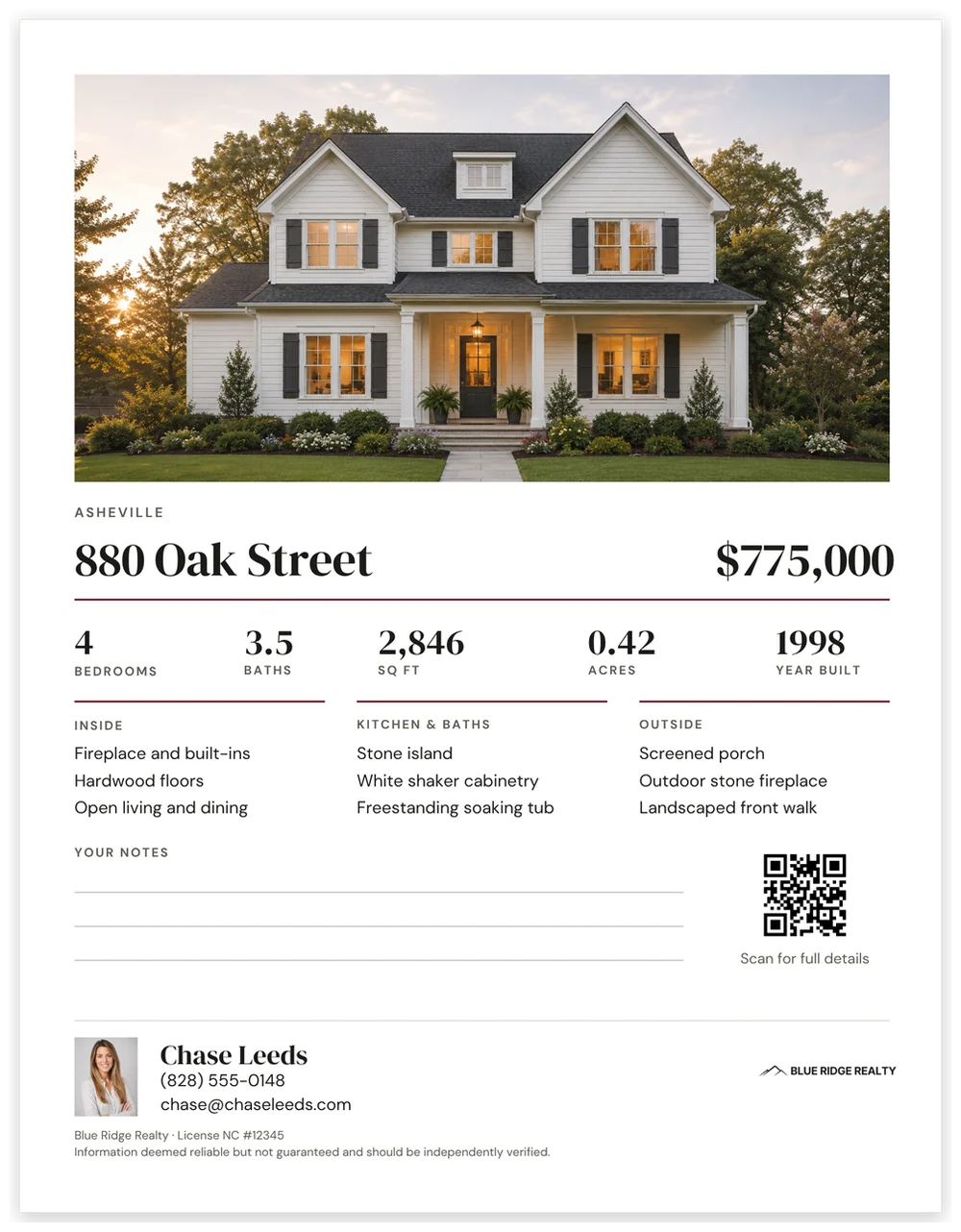
The feature sheet, shown filled in with a sample listing.
The take-home piece: a hero photo and price, five key facts, three feature groups, lines for visitors’ notes, and a QR code to the full listing.
The feature sheet’s QR code is the one code you change for each listing. The sign-in and feedback QR codes stay the same every weekend.
The feature sheet uses your listing photos. No photos are included.
When the listing calls for it
Five more pages are there for the listings that need them.
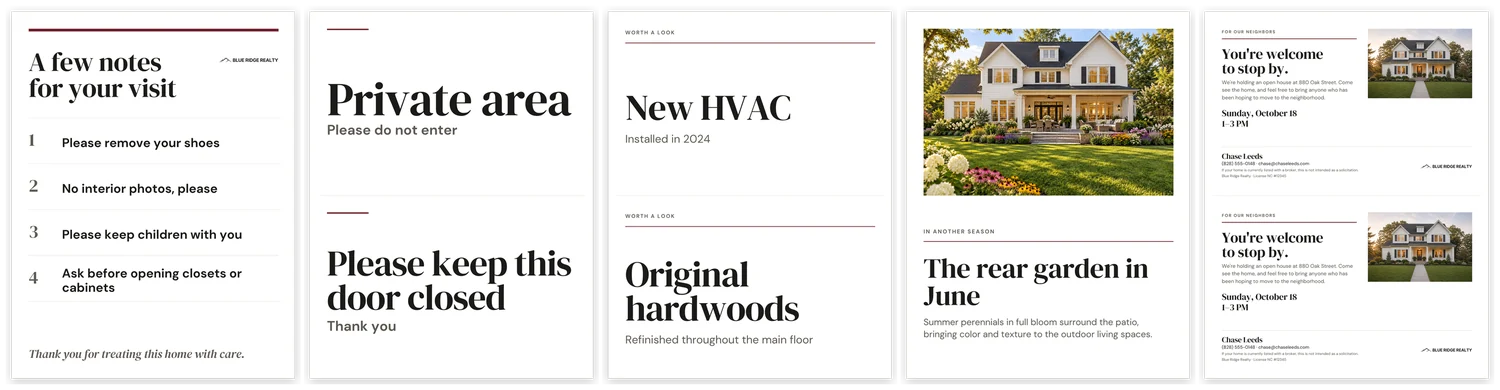
A few notes for your visit
Four house rules you write.
Door signs
Two to a page: Private area, and Please keep this door closed.
Feature cards
Two to a page, for the rooms worth a second look.
Seasonal photo card
Show the garden in June or the porch in October.
Neighbor invitation
Two to a page, with the listing photo.
Best for listing agents who host their own open houses
If every open house means digging up last time’s files, retyping the sign-in and hoping the signs still match, this is one design you duplicate and edit.
A good fit if you:
- want the arrows, the welcome sign, the sign-in and the handouts to look like one setup
- repeat the same open house setup most weekends and want to edit it, not rebuild it
- print at home on letter paper
- want QR sign-in and feedback without building the forms yourself
Not ideal if:
- you need large or weatherproof yard signs or sign riders — every page is letter size
- you want follow-up handled for you — the kit collects sign-ins and does not follow up
The whole set
Ten pages for every open house, then five for the listings that need them. Shown filled in with a sample listing; the set downloads with empty photo, headshot and logo spaces.
Set the forms up once, then edit three things per listing
1. Copy the two Google Forms once.
Make a QR code for each with Canva’s QR code app. The sign-in and feedback QR codes then stay the same every weekend.
2. Set your brand color.
Set it once and the accent rules on every page update.
3. Duplicate the design for each open house.
Update the address, date and hours with Find and replace. It changes them on every page at once.
4. Swap in the listing photos and the feature sheet’s QR code.
Then pick the pages you need and print.
The date line on the arrows is optional. Delete it and the same printed arrows work every weekend.
A Quick Start Guide comes with the download. It also shows how to make a separate copy of each form for each listing.
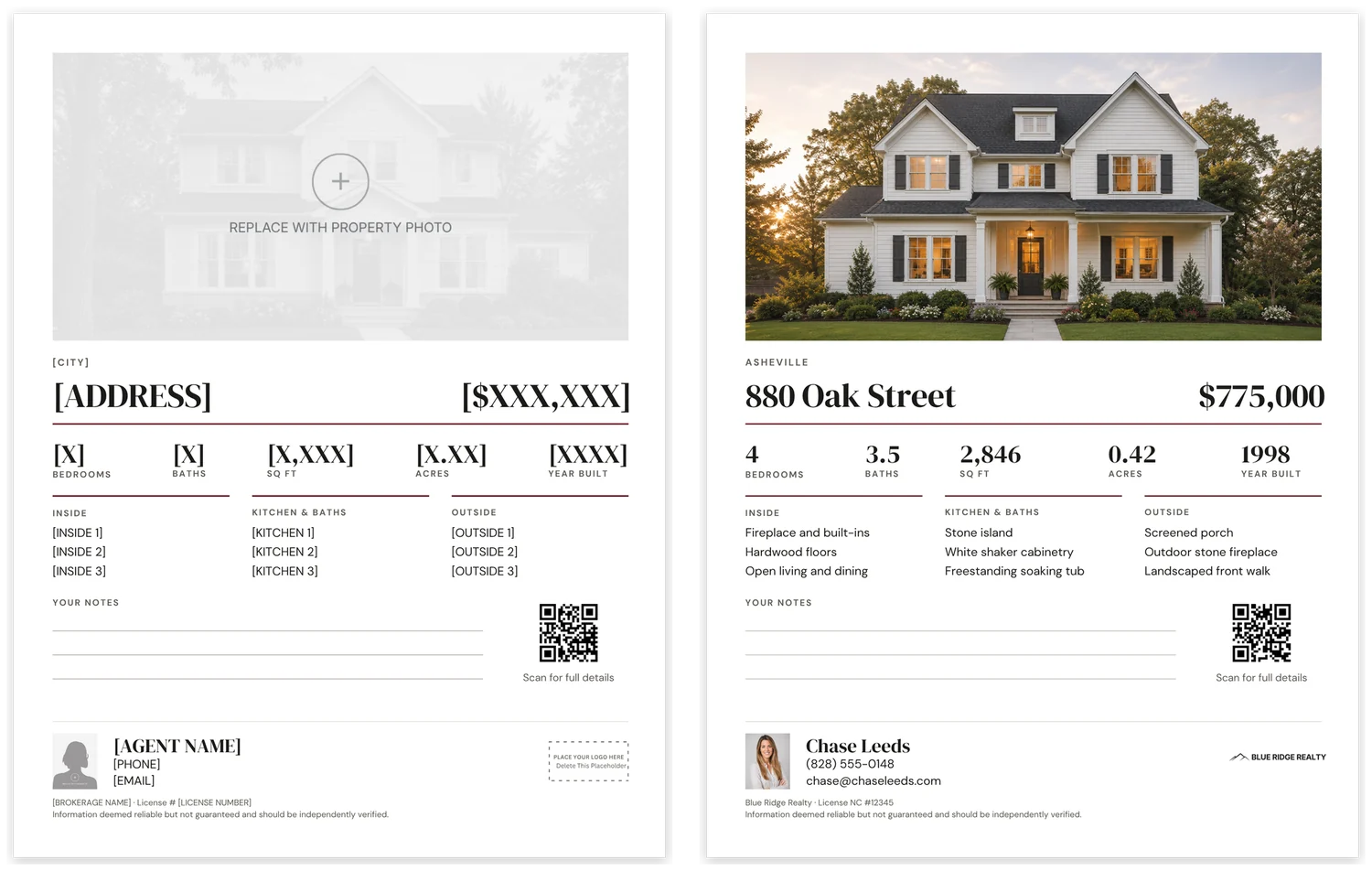
As it downloads, and after the listing details are in.
Canva Free, letter size, printed at home
Fifteen 8.5 × 11 portrait pages in one Canva design. The kit was tested in Canva Free, including Find and replace across every page, and printed at home on letter paper. Three pages are two-to-a-page cut sheets: the door signs, the feature cards and the neighbor invitation.
Pages with a logo spot have a “Place your logo here” box. Delete it and place your logo at any size.
The forms need a free Google account. The download is one PDF with the Canva template link, the two Google Form links and the Quick Start Guide. It is a digital product and nothing physical ships.
What to know before you buy
The kit collects sign-ins. It does not follow up.
QR sign-ins land in your Google Form’s response sheet, and the paper sheet stays on paper. For a follow-up routine, see the Open House Follow-Up Tracker below.
The two sign-ins ask for different things.
The QR sign-in form asks for name, email, phone and whether the visitor has an agent. The Buying soon and Live nearby check boxes are on the paper sheet only.
Form responses are not tagged by property.
They are time-stamped only. If you host more than one open house at a time or share the forms with a team, make a separate copy of each form for each listing.
The consent box is blank.
It is space for your brokerage’s language. The kit does not make your sign-in process compliant; your brokerage’s rules decide what goes there.
Letter-size signs, not yard signs.
There are no large or weatherproof yard signs and no sign riders. The arrows are solid black shapes, so outdoors put them in a sheet protector or sign frame.
The sample is filled in; your copy is not.
The previews on this page show a worked example with a sample listing, price, photos and agent. You receive the pages with empty photo, headshot and logo spaces. No listing photos are included.
Local review.
Sign-in and consent practice varies by state and by brokerage. Check the pages against your own brokerage’s requirements before you use them.
Already own the forms?
The QR sign-in and feedback forms are the same Google Forms sold separately in this shop. If you already own them, you do not need to copy them again.
What this works with
Each is sold separately, and the kit needs none of them.
Open House Follow-Up Tracker
Sort the sign-ins after the open house and decide who hears from you first.
2-Sided Property Flyer
The same design family, for marketing the listing.
Common questions
Do I make new QR codes for every open house?
No. The sign-in and feedback QR codes stay the same every weekend. Only the feature sheet’s QR code changes, because it points to the listing.
Can I run two open houses at once?
Yes, with a separate copy of each Google Form for each listing. Responses are time-stamped but not tagged by property, and the Quick Start shows how to copy the forms.
Will the welcome sign work for a condo or unit?
Yes. The large line fits up to five characters, like 12457, 4B or PH-2, and the street address goes on the line below.
Do the arrows work outdoors?
They print on letter paper as solid black shapes. Outdoors, put them in a sheet protector or sign frame. For large or weatherproof yard signs, the kit is not the right tool.
Do I need Canva Pro?
No. The kit was tested in Canva Free, including Find and replace across every page.
One design for every open house you host
Set it up once in Canva Free, then edit the address, date and photos and print the pages you need.